Friends.
Below is a very common error which users always wonder about when trying to create and submit their time sheets in Microsoft dynamics AX 2009 PSA module.
“Timesheet Periods have not been created for: 2000” , where 2000 is the logged in employee. The warning message is as shown below.
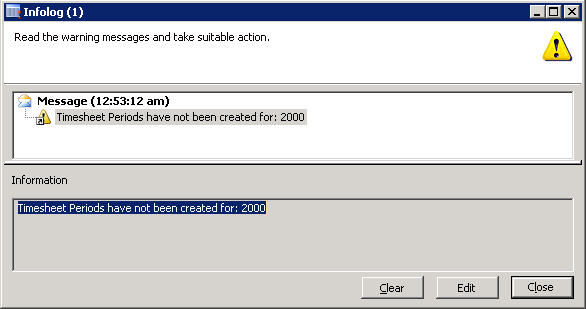
Issue : This error comes when there are no time sheet periods defined for the employee.
Solution : Follow the below steps to resolve this issue and be able to enter time sheets.
- Navigate to Basic > Employee details form.
- Select the employee record for which the error is thrown. ( Employee 2000 in this case).
- Click the Setup tab.
- Verify that a Period code is set up for this employee. If this is not setup already , you have to set a period code by selecting one from the look up.
- Then right-click on the period code , and click Go to the main form.
- Then, click the Update employee periods button.
- Give a suitable start and end date ( say 01/01/2011..06/30/2011) and click OK button.
- Click the Update time sheet periods button.
- Give a suitable start and end date ( say 01/01/2011..06/30/2011) and click OK button.
- Finally click the Show time sheet periods button and verify that there are records created for the time sheet periods for the period code attached to the Employee.
This will fix the error above and the user will be able to enter time sheets then.I will be happy to recommend solution any other issues in PSA related to time sheets.
Thanks, Keep DAXING :)


 Microsoft Dynamics 365 Blog
Leave a comment