Hello,In Microsoft Dynamics AX 2009/4.0, we set a financial statement to display data in a specified interval. However, when we run the financial statement, the financial statement does not display the balance in the specified interval. Instead, the financial statement displays the YTD (“Year To Date” ) balance.
In this post , I will explain a resolution to get correct balances in financial statements when running it for a given interval in Microsoft dynamics AX 2009/4.0 .
STEPS TO TROUBLESHOOT THIS ISSUE :
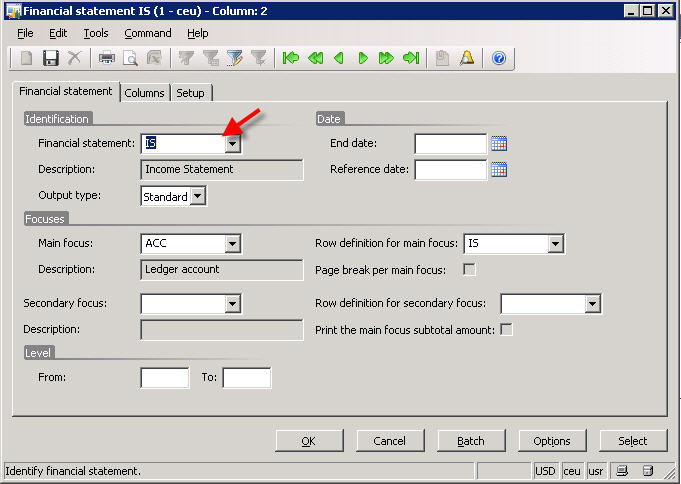
Let us run the financial statement(Income statement) in standard CONTOSO data for the month of November , 2010. Please refer to screenshot below for the setup to run the statement.
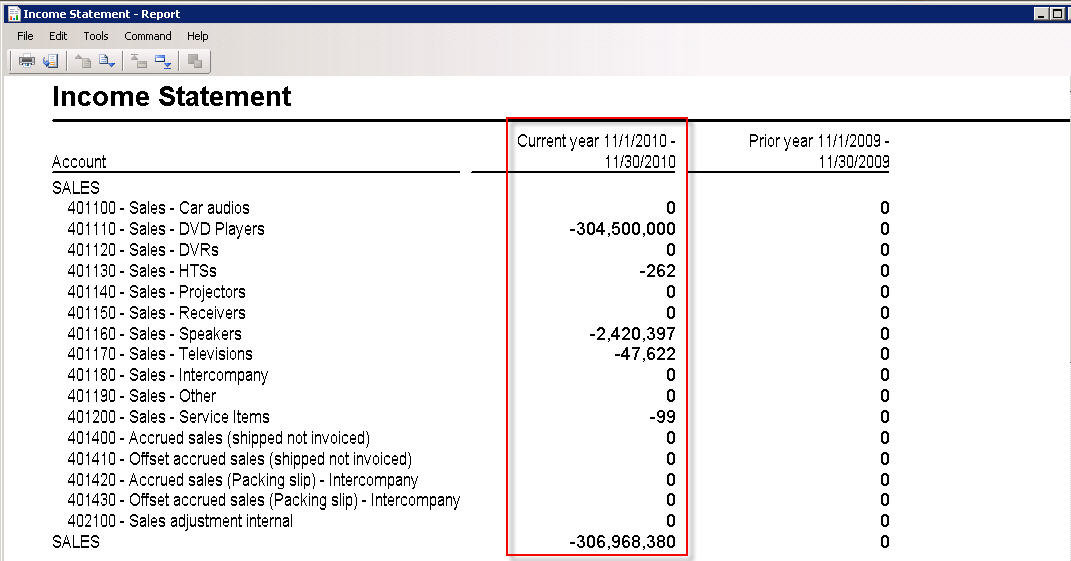
Now , below is the financial statement report which we get, and the data in the report is “Year to date”, but not for the month of November, 2010.
Below are the steps to get the data for this specific interval(NOV , 2010 ).
1. Navigate to General Ledger > Setup > Financial Statement > Financial statement
2. Select the desired financial statement (IS, the Income statement in CONTOSO data)
3. Now, in the lower grid , select the current year record.
4. Click the Transactions tab.
5. Clear the “Include Opening” check box. Refer to screen below.
After doing this , run the financial statement again for NOV, 2010. Below is the result which we get and the data in this is not YTD but it is only for the period of NOV, 2010.

Hope , this information will be helpful .
Thanks , Keep DAXING. :)


 Microsoft Dynamics 365 Blog
Leave a reply to Sandeep Chaudhury Cancel reply