Category: Dynamics AX 2012

  • Bridging Stocked Inventory and Project Delivery in Dynamics 365 Project Operations Integrated ERP Deployment – A True Game Changer!

    Bridging Stocked Inventory and Project Delivery in Dynamics 365 Project Operations Integrated ERP Deployment – A True Game Changer!

    Microsoft has just closed a critical gap in Dynamics 365 Project Operations with the release of Manage Stocked Products for Integrated ERP Deployments. For leaders overseeing material-intensive projects in construction, engineering, field services, this is the missing link that finally aligns inventory control with project delivery in a unified ERP architecture.

    With this feature, organizations can now:

    • Gain real-time visibility into on-hand inventory via Dynamics 365 Finance & Supply Chain Management
    • Track material usage across the full project lifecycle—from estimation to invoicing
    • Automate cost and revenue recognition tied to stocked product consumption
    • Eliminate reliance on Project Management and Accounting module in F&O and start thinking about migrating to the modern architecture of Project Operations

    For project executives and operations leaders, this capability is more than a feature, it’s a strategic lever. It streamlines material tracking, strengthens cost control, and enables real-time inventory visibility, driving smarter decisions and faster execution across complex, resource and material intensive projects.

    I was finally able to get my hands on this preview feature, and I am excited to share some insights. I am not going to discuss the step by step of how to enable the new feature. You need to make sure you are on the latest versions of D365 Project Operations (4.1.142.0 or later) and F&O (10.0.44 or later) and work your way through the necessary dual-write setups.

    Let’s get to the crux of what this new feature offers.

    Viewing Inventory Products in Project Operations:

    Dynamics 365 F&SCM serves as the main source for managing inventory. Both stocked and non-stocked products are created and managed in D365 F&SCM. New products are immediately visible in Dynamics 365 Project Operations for project managers and stakeholders.

    When this new feature is enabled, you will see the new Products menu/site map where you can view all products that came in from D365 F&O SCM automatically. This leverages the “unified products management/integration” between F&O ERP and Microsoft Dataverse.

    Product Cost and Sales Prices:

    D365 F&SCM offers comprehensive pricing engine for products and is the source of truth for the cost and sales price data for products. The standard cost and sales prices specified for the product in D365 F&SCM automatically sync over to Project operations again using the “unified product integration architecture”, where they sync the prices into the cost and sales price lists within D365 Project Operations.

    For now, this feature uses the defaults prices for the products, however I am fully expecting this to mature into leveraging the “On demand D365 SCM pricing engine” at some point in the future.

    Viewing available on-hand for stocked inventory products:

    On the Products page within Project Operations, Project managers/stakeholders can view on-hand inventory products if required. This comes in handy where they get visibility into real time inventory without having to navigate to D365 F&O.

    Include stocked products in project estimates, quotes/contracts:

    Project Managers and stakeholders who are working on project quotations, estimations or project contracts can now include stocked inventory products.

    Buying stocked inventory for projects:

    Project managers or Procurement managers can now include stocked inventory materials on purchase orders they created for a project in the integrated ERP deployment.

    Important Note: Project Operations in the Integrated ERP deployment already supports non-stocked items/procurement category-based purchase orders, however with the introduction of the support for stocked inventory products, there is a difference in when the costs of the stocked materials are posted to the project and general ledger. As soon as the PO is confirmed, the necessary accounting distributions are created using the ledger posting profile for Items for projects. This accounting distribution is used to post the cost to the project and GL as soon as the vendor invoice associated with the PO for the stocked product is posted in F&O. This behavior is different than how it posts in case of a PO that has non-stocked products or procurement categories where the costs are posted to a temporary procurement integration account and synced later from Project Ops Dataverse using the actuals integration journal. Little technical details, but important for consultants!

    Posting vendor invoices for stocked products on projects:

    When vendor invoice for the purchase order for stocked products is recorded and posted, the project costs are posted in D365 F&O into the project sub-ledger. The vendor invoice information automatically syncs over to Dataverse to generate cost and unbilled sales actuals and unbilled sales actual details comes back into F&O using the actuals integration journal.

    Note: As products are received at the warehouse, the product receipt transactions are not recorded in the Project actuals in Dataverse and don’t post to project sub-ledger in F&O. As this feature matures and adds more capability, I am hoping we will see capability where we can consume the cost of stocked products immediately upon product receipt. It is not supported at this in this release at least.

    Viewing on-hand and Consuming stocked inventory into projects:

    For existing inventory in stock, project managers can not only view real time available on-hand information for stocked products but also consume them into projects using the materials usage log of Project Operations.

    Dynamics 365 Project Operations validates the available on-hand inventory in real time here. If a material usage request was submitted for a quantity that is more than the available quantity for the Site and Warehouse, then the system throws error message there by blocking the submission. Similar validation is done upon approvals of material usage logs.

    Note: You can also consume stocked materials using the journal entry option if required.

    Inventory Costing, Project Costing & Adjustments:

    When materials are consumed using the material usage log in project operations, it uses the default cost price available for the product/material that was last synced from F&O.

    However, for stocked products, the consumption of inventory always happens at the weighted average cost of the item regardless of the costing method for the material.

    If the costs of the material transactions that came in the integration actuals journals differs from the weighted average cost of the material, the difference is synchronized back to Dataverse. This value is stored in a distinct data field named “Adjustment value” and it updates the Extended amount accordingly. There is a new batch job as part of this new feature that needs to setup and run which will basically sync these adjustments if any after the “Inventory Closing and adjustments” have been run in D365 F&O.

    That’s it for this post!!

    Best,

    Sandeep

  • Multiple revenue recognition options/rules under one project in Dynamics 365 Project Operations Non-stocked/resource deployment

    Multiple revenue recognition options/rules under one project in Dynamics 365 Project Operations Non-stocked/resource deployment

    One of the common asks I hear from customers is the need to handle revenue recognition differently for different phases of a project. An example of this is “Contoso Electronics is working on a NextGen EV Electronics Design and Prototype build project for one of its customers. This is a fixed price contract/project that has 3 distinct phases.

    1. Design phase that runs for 3 months. This phase is billed in 2 milestones and revenue needs to be recognized upon Design completion.
    2. Prototype build phase that runs for 9 months. This phase is billed in multiple milestones and revenue needs to be recognized on a monthly basis based on % of completion.
    3. Post prototype support for enhancements work for 1 year. This is a fixed fee billed upfront and revenue needs to be recognized monthly on a straight-line basis.

    There is now a new feature Microsoft released in Dynamics 365 Project Operations Resource/Non-stocked deployment which allows you to accomplish this easily. Before this feature, we were needed to split these phases into 3 different projects, but that is no longer needed.

    The new feature is called “Enable contract line-based revenue recognition with Project Operations for non-stocked/ resource-based scenarios” and this was released in preview last week.

    When you enable this new feature, Project Operations will basically create a separate revenue estimate project for each contract line under the project contract. This allows you to setup one Project Contract that has multiple contract lines, where each contract line represents the work that will be done in each phase of the project. You can then associate separate cost and revenue profiles to each of the revenue estimate projects the system creates and handle the revenue recognition differently for each phase.

    So, for the example scenario I provided above, I have setup a Project Contract that looks like below. Each of the contract lines/project phase have their own invoice schedule and associated contract amounts.

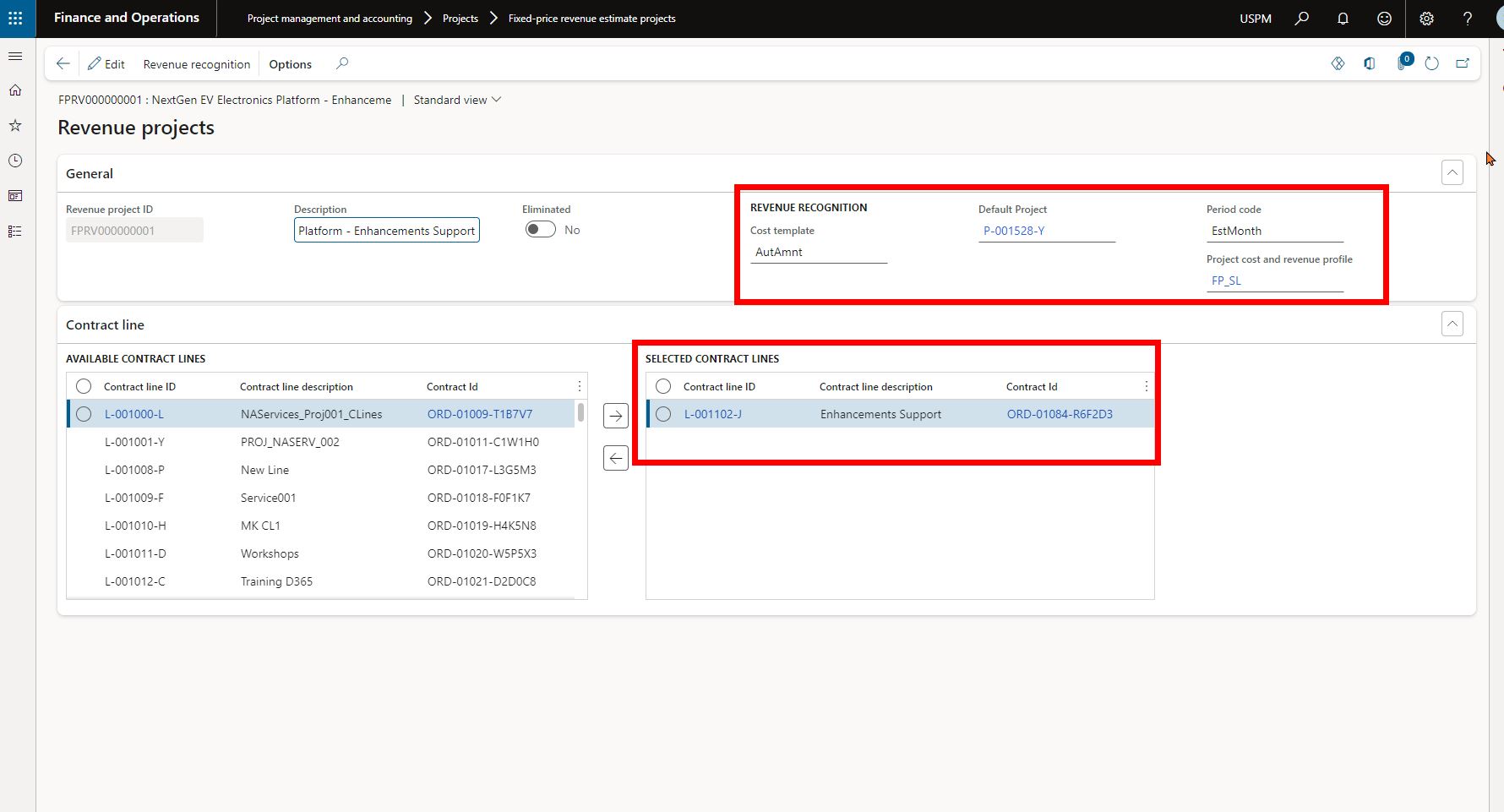
    Screenshot below shows that system has automatically created 3 separate revenue estimate projects, one for each contract line. So basically, we now have a revenue estimate project setup automatically with their own contract amounts for each phase of the project, but the phases belong to one main project.

    Also notice that each of these revenue estimate projects is associated with a different Project cost and revenue profile ID, which allows you to process revenue recognition using different rules for each phase of the project. You will need to select the default parent project for each of these revenue estimate projects.

    The Design phase of the project has revenue estimate project that is associated with the corresponding contract line and is setup with a Completed Contract revenue recognition principle.

    The Prototype build phase of the project has revenue estimate project that is associated with the corresponding contract line and is setup with a Completed % based revenue recognition principle.

    The Enhancement Support phase of the project has revenue estimate project that is associated with the corresponding contract line and is setup with a Stright line revenue recognition principle.

    For the contract line that needs to follow straight line revenue recognition principle, you will additionally need to setup the start and end dates of the revenue recognition under the contract line in the project contract default accounting setup. See screenshot below.

    That’s it. From here on, when you run the job for revenue recognition, system will automatically calculate revenue recognition amounts based on the associated contract amounts for the contract lines and the cost and revenue profile setup.

  • Dynamics 365 Finance Tip: Did you know you can now apply cash advances to individual expense report lines?

    Dynamics 365 Finance Tip: Did you know you can now apply cash advances to individual expense report lines?

    Here is a quick tip on a new feature in the Expense Management module of Dynamics 365 Finance introduced in version 10.0.17.

    If you give cash advances to your employees for expenses they might incur(Office or travel related expenses), they now have better control over applying specific cash advances(s) against each line of their expense reports.

    Before the 10.0.17 release, cash advance application/reconciliation was automatically controlled by the system and the balance was tracked behind the scenes. This worked, but was lacking control and traceability/troubleshooting as such.

    With this new feature, employees can submit cash advance requests using the Cash advance feature. Once the request is approved and paid, they become available for application/reconciliation against specific expense report lines.

    When you go to enter your expense report, you will see the option to select one or more cash advances against the expense repot line. The system will automatically bring in unapplied cash advances on the screen.

    Till the next one..

  • Unify your Project centric business with Dynamics 365 Project Operations – Best of all Microsoft applications in one package for project based organizations

    Unify your Project centric business with Dynamics 365 Project Operations – Best of all Microsoft applications in one package for project based organizations

    In an earlier post, I wrote about overview of the new Dynamics 365 Project Operations solution from Microsoft and the 3 different deployment modes available for customers today. I was finally able to free up some time to deploy the new general available build of Project Operations. I deployed the fully integrated mode for resource/non-stocked scenarios.

    In this blog post, I wanted to dive into other “Fully integrated D365 Project operations with financials for resource/non-stocked scenarios” and showcase the key capabilities. This deployment scenario is suitable for project based organizations who does not have stocked inventory material and production requirements. The support for non-stocked materials is coming soon on the deployment mode.

    In this post, we will focus on reviewing the end to end lifecycle of a project from lead to invoicing. The objective is not to go granular on each of the functionalities, but rather to review all functionalities you can use from at each stage. We will review specific features in future posts and deep dive into those.

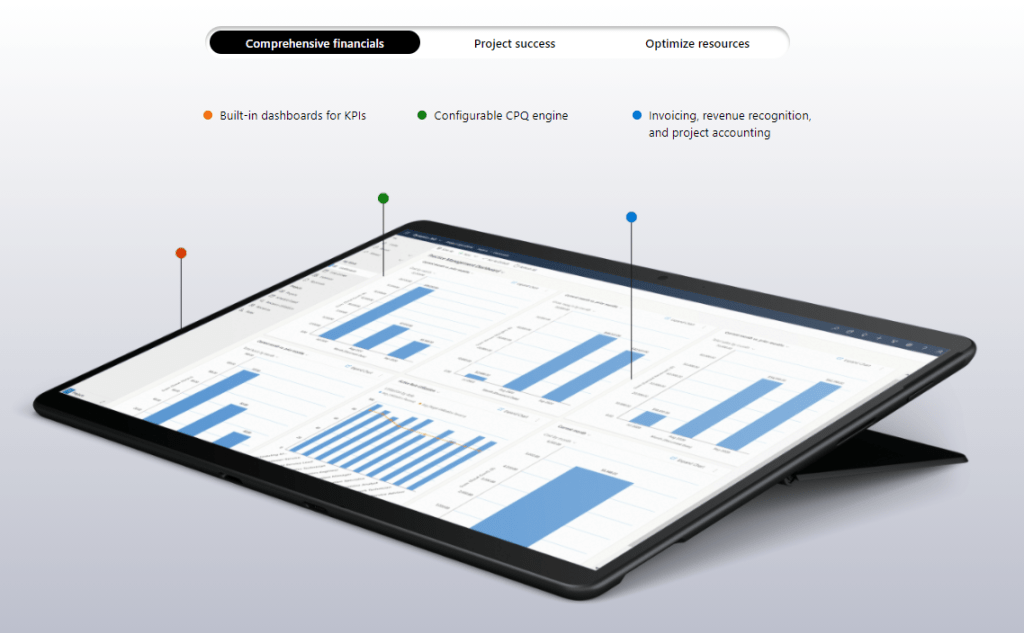
    The infographic below shows the overall capabilities of Dynamics 365 Project Operations.

    Deal management experience (Lead > Opportunity > Quote > Contract):

    D365 Project Operations provides comprehensive Lead, Opportunity and Quote management features suitable for project based firms. It leverages the best of the industry leading D365 Sales solution in the Customer Engagement platform and lights up the experience right within the Project Operations app.

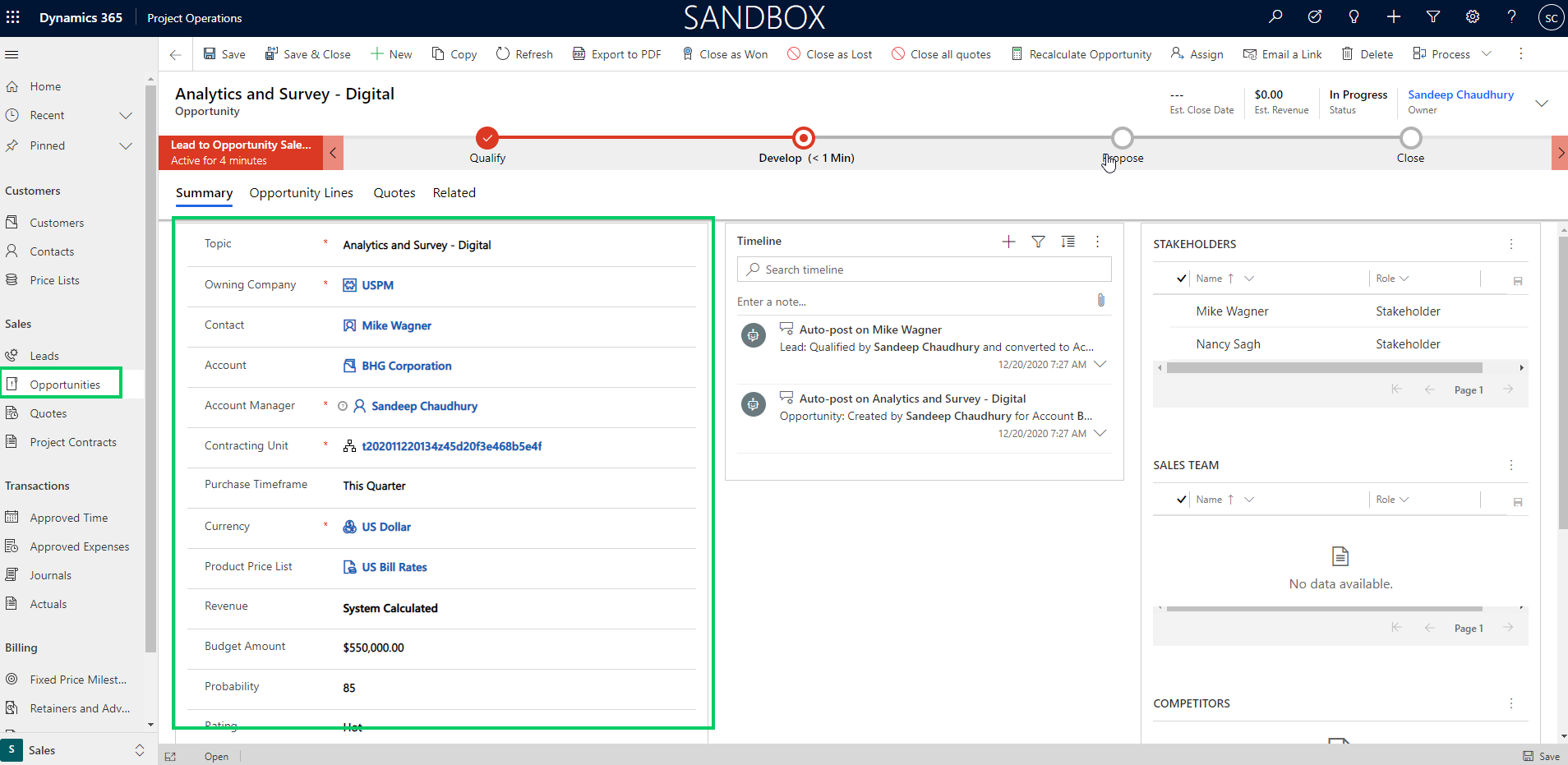
    You can track all required Lead information and once you quality the Work based lead, an Opportunity record is automatically created, where you can add the building block of the work.

    In the Resource/Non-stocked based scenarios deployment of Project Operations, you can only add Project based lines right now, but the support for service based items/products is coming soon. (Note: If you have the Lite deployment of Project Operations with no Finance integration, you can still add product based lines, just like you did in the old D365 PSA app).

    You can assign a price list/rate card for the opportunity and you can now build the line items on the Opportunity and specify the details such as Billing method, amount, customer’s budget and so on.

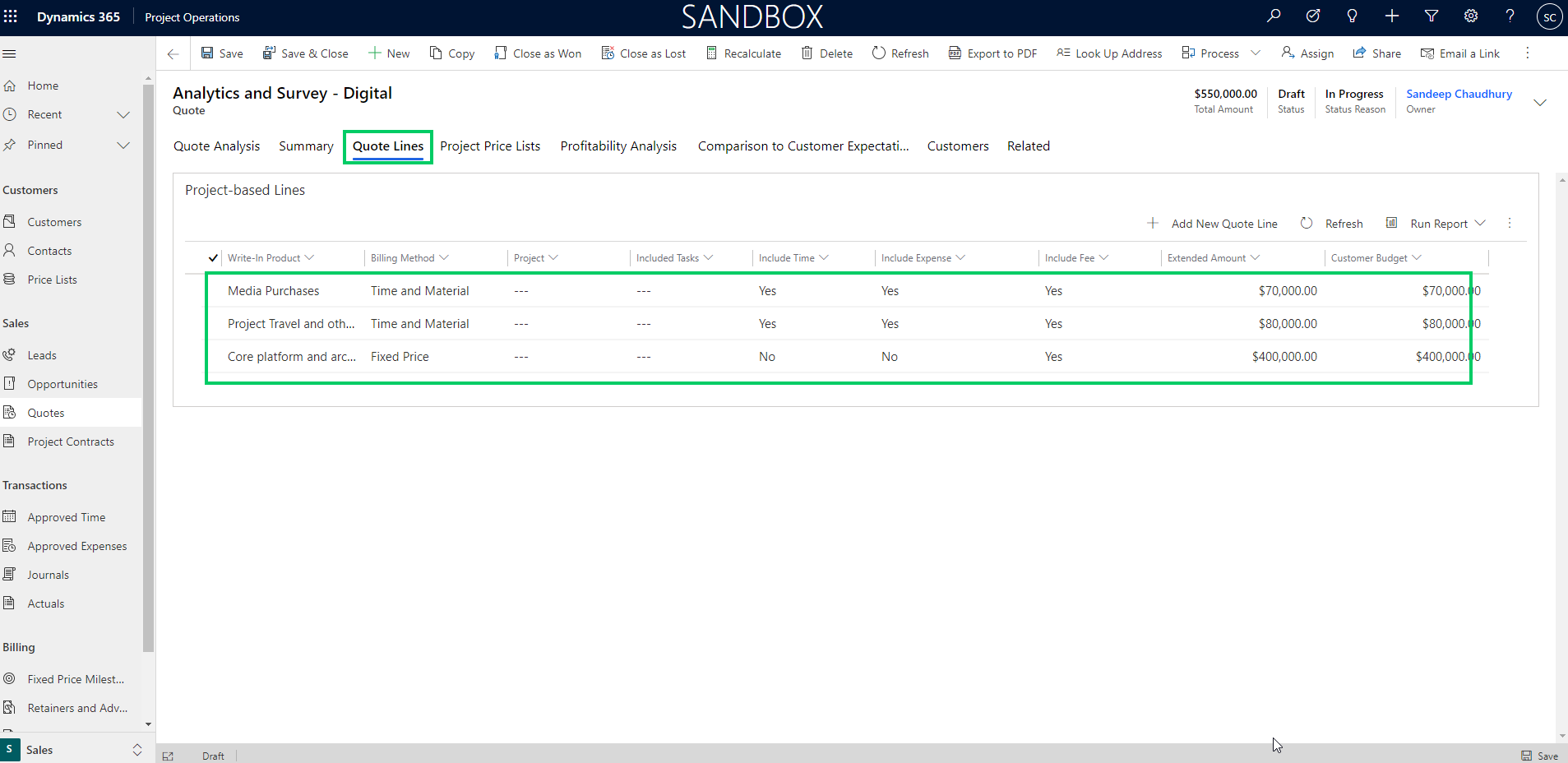
    Once the Opportunity details are fine tuned with the customer, you can build a proposal/quote directly from the Opportunity and all the line item details are carried over automatically. The Quote lines represent the discrete components of the work that you will present on the quote to the customers.

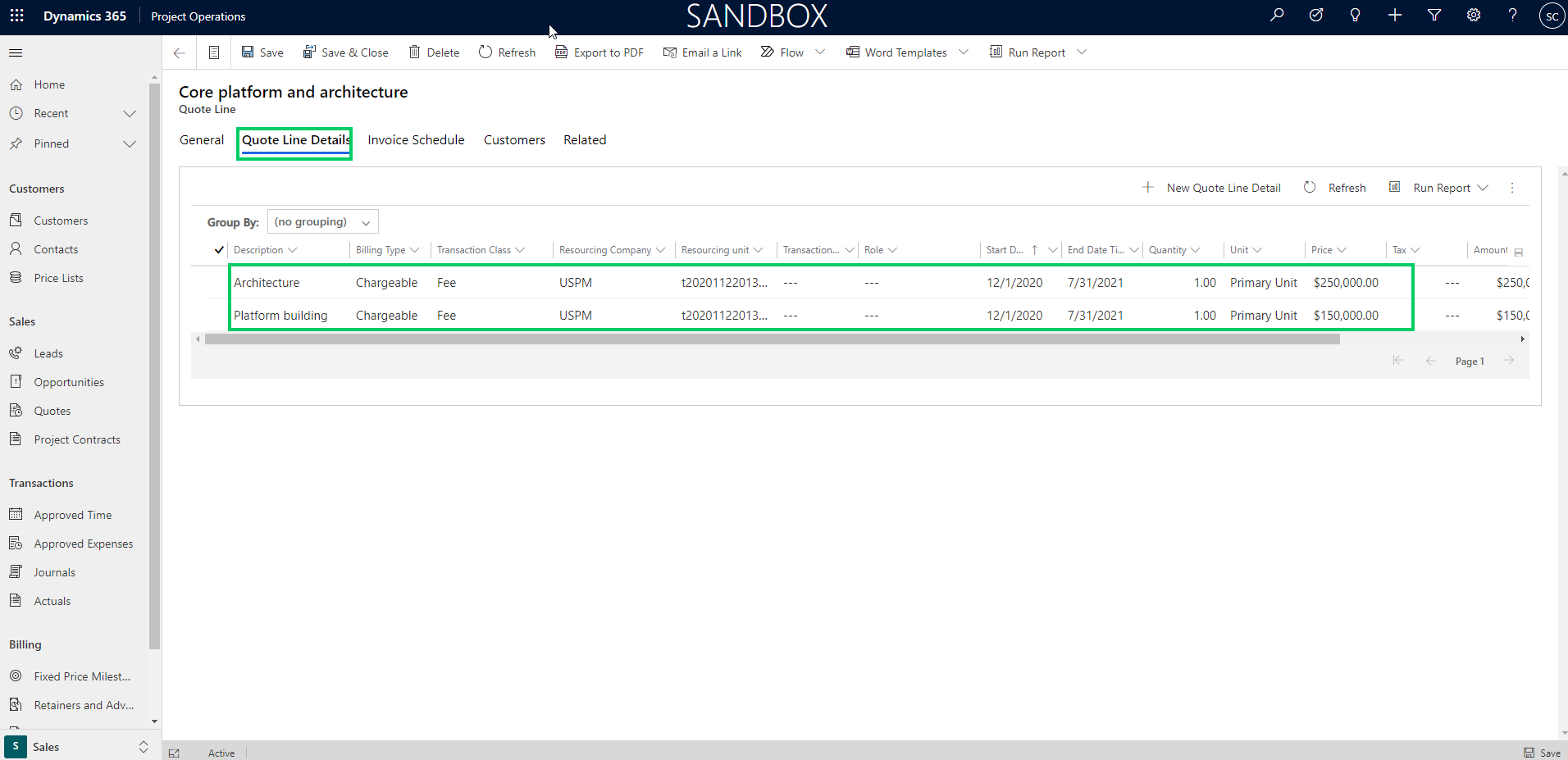
    The Quote line details is where you identify and estimate the details of each quote line/work component such as, schedule, financials, contracting model and so on. This information on the quote line details helps you do profitability analysis on the quote.

    If the Project is funded by more than one entities of the customer, you can add the customers/funding sources on the quote line and designate the amount/percent split of the amount for billing and you can also specify the “Not-to-exceed” limit for each customer. This reminds of the Funding sources, funding limits and funding rules functionality that we all know in the classic Project accounting module of D365 Finance :)

    If the quote line is a Time & Material line, you can specify additional details such as “Chargeable Roles”, “Chargeable Categories”.

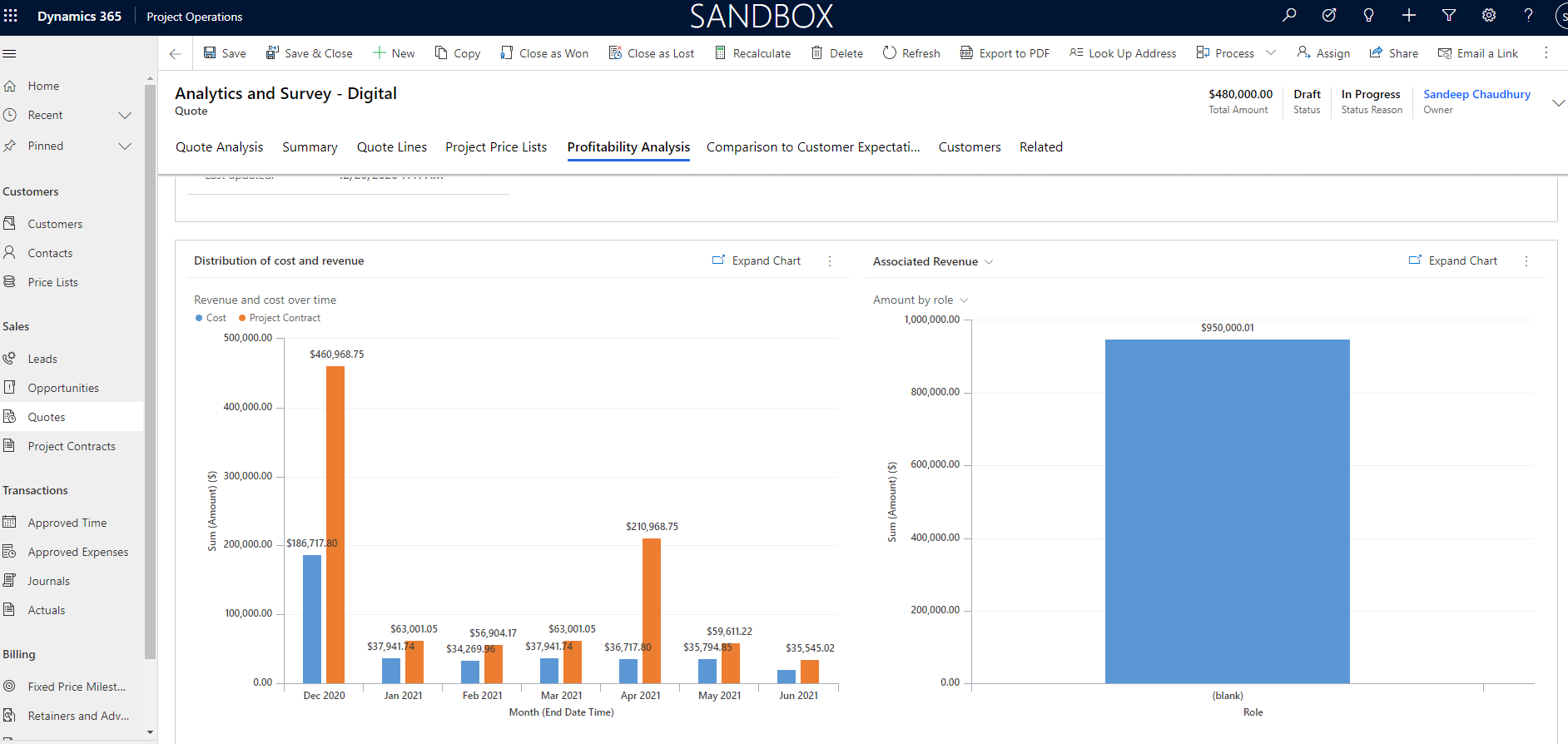
    You can also create the project to create the ground up estimates from the project tasks/plan and import those into the quote lines. After you have built the quote details, you can review profitability analysis info.

    You can also how your quote compares to the customer’s expectations.

    When you have won the quote, you can associate the Project ID to the quote/opportunity line and close the Quote as Won. As soon as a Quote is closed as Won, a Project contract is automatically created in Draft status and new project is associated with this contract.

    Project and Resource management experience:

    Project managers can create detailed project WBS/plan using the capabilities of Project for the web(P4W) capabilities built right into project operations. I am not going to focus on discussing details of the individual functionalities around project management and resource management aspects in this post. We will save that for another post.

    Time & Expense management experience:

    Your resources can use the intuitive time entry UI to keep track of their daily time and submit periodically/weekly. You can also keep track of employee expenses with the robust expense management module of Project operations, with features such as expense policies, workflows and credit card integration. The expense management experience comes from the proven D365 Finance app and offers advanced expense management capabilities. They can also use the T&E mobile apps.

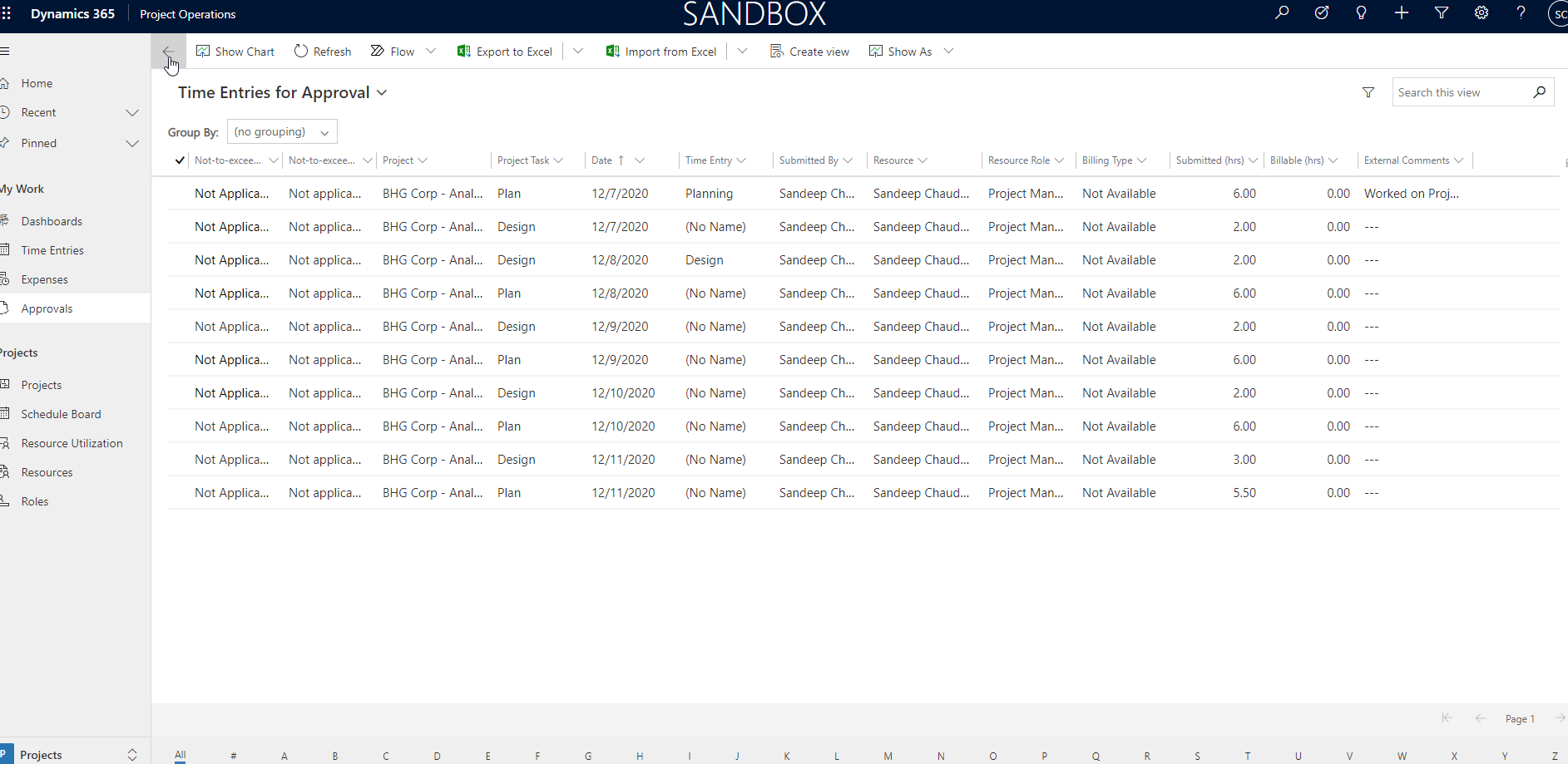
    Managers can review timesheets and expenses in the Approvals work bench and process them in timely manner.

    Project transaction corrections and Invoicing

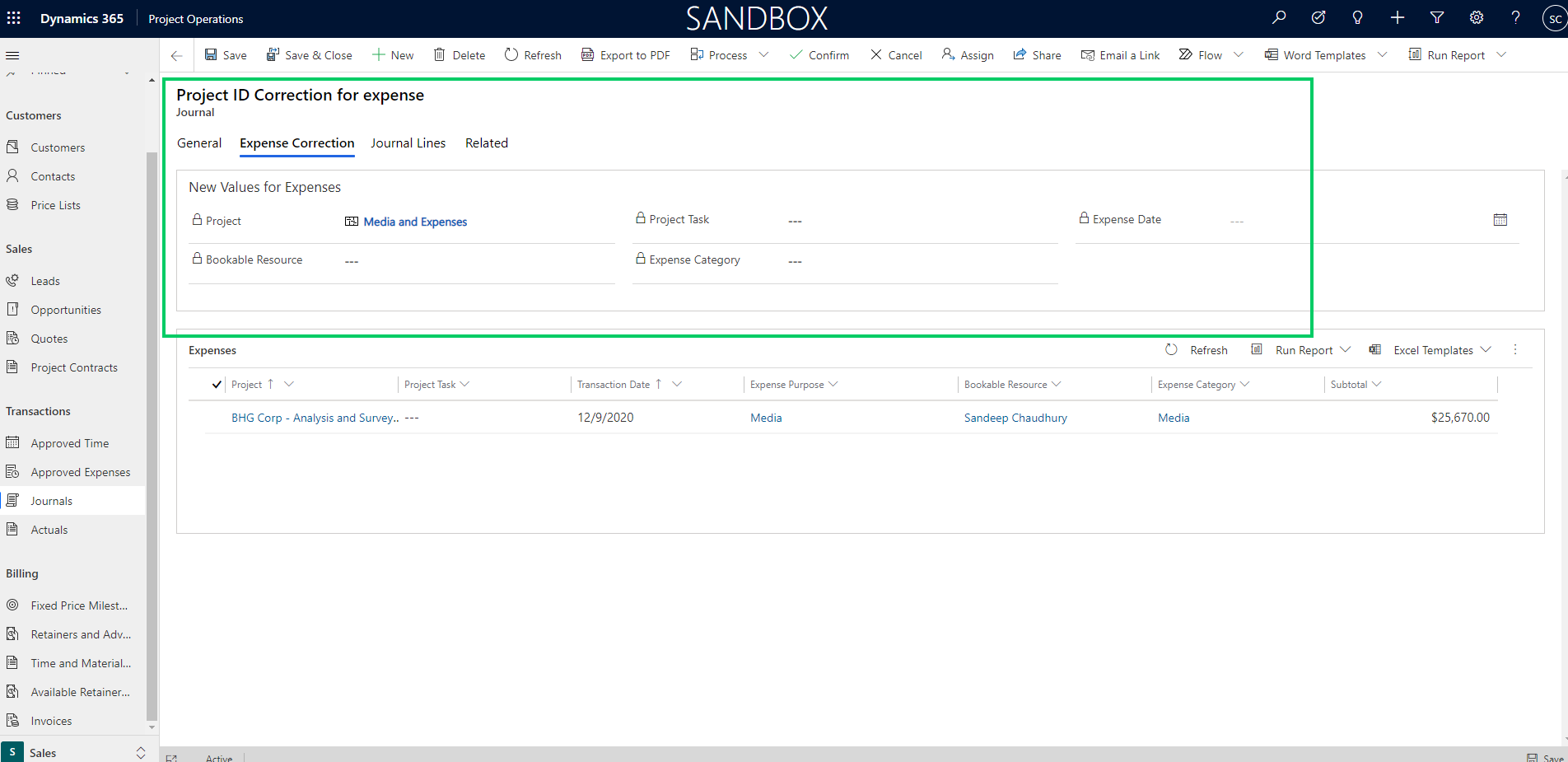
    Project finance/billing team can stay on top of their tasks with intuitive interfaces for transactions corrections/adjustments to make sure any adjustments to transactions are processed prior to billing.

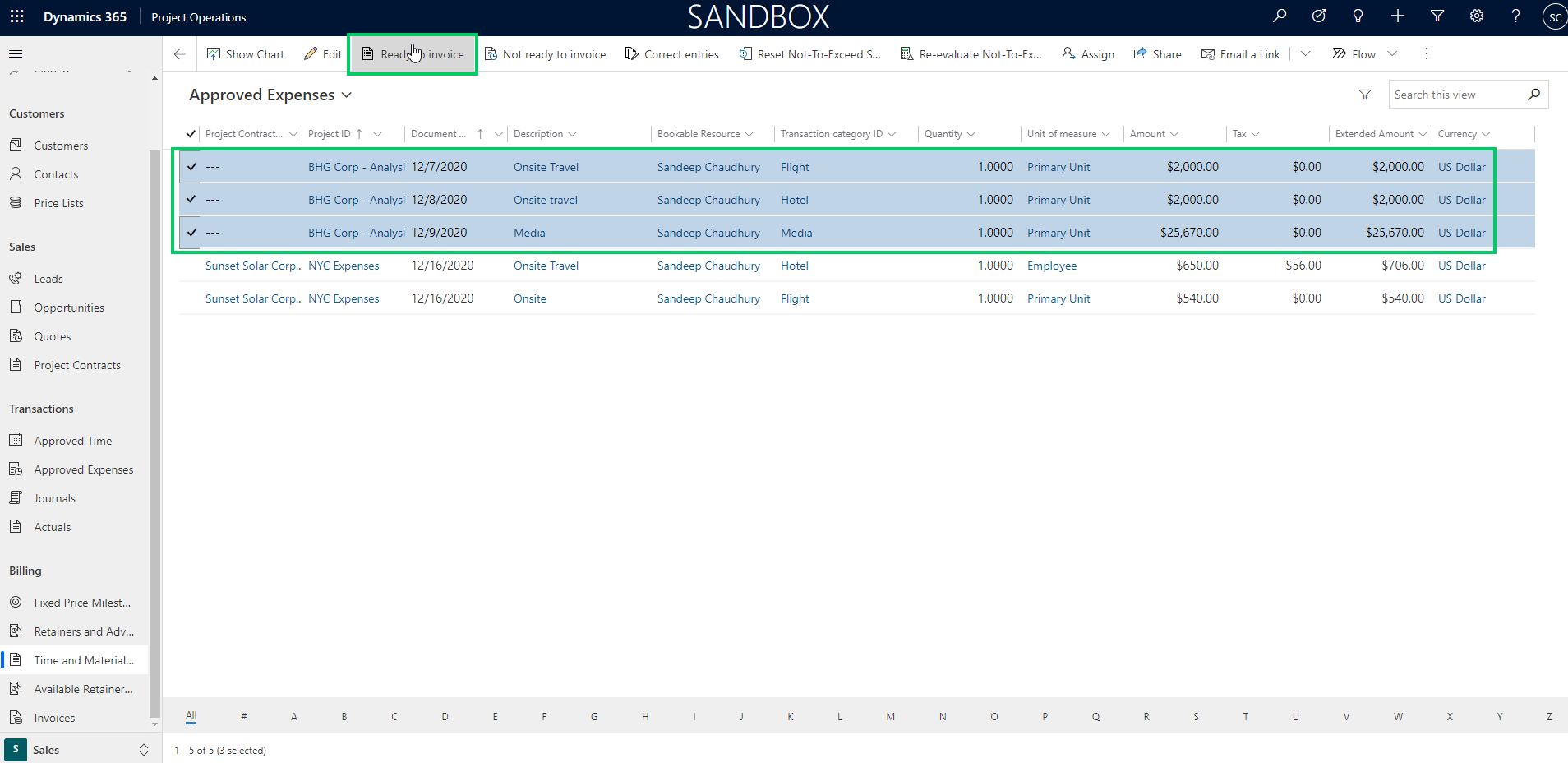
    The dedicated work benches for Time & Material, Fixed price milestone and advance & retainers billing backlogs are handy providing all the billing backlog information at one place . You can review details such as invoice status, Not to exceed limits and statuses of each transaction to make sure the customer invoices are accurate.

    Creating invoices for project contracts is simple. It can be created manually for each contract or an automated batch job can be setup to run on automatic recurrence.

    As soon as you confirm the Draft/Proforma invoice, a project invoice proposal is created, which is then ready to be posted. With the industry leading sales tax engine of D365 Finance solution, you don’t have to worry about complexities of sales tax calculations.

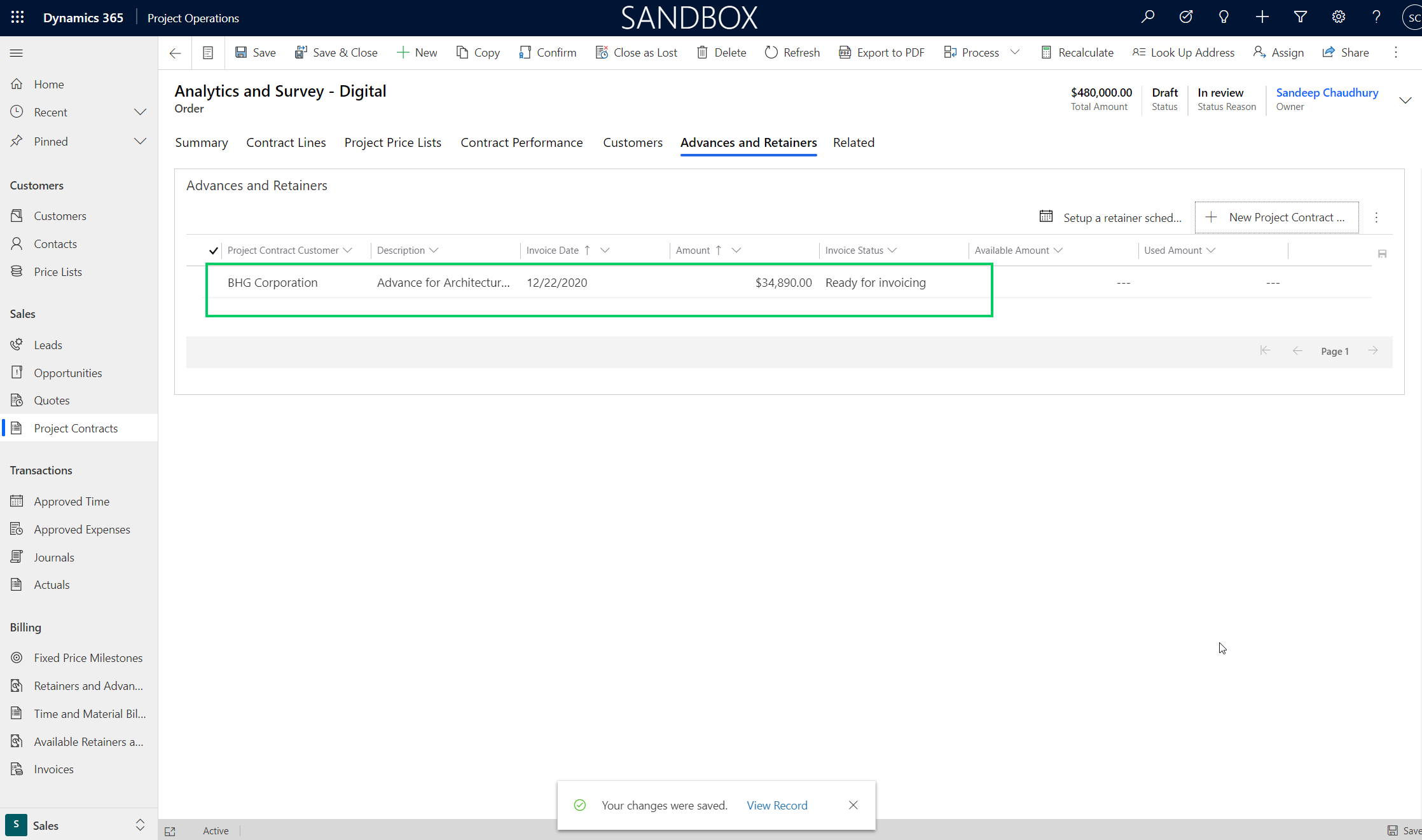
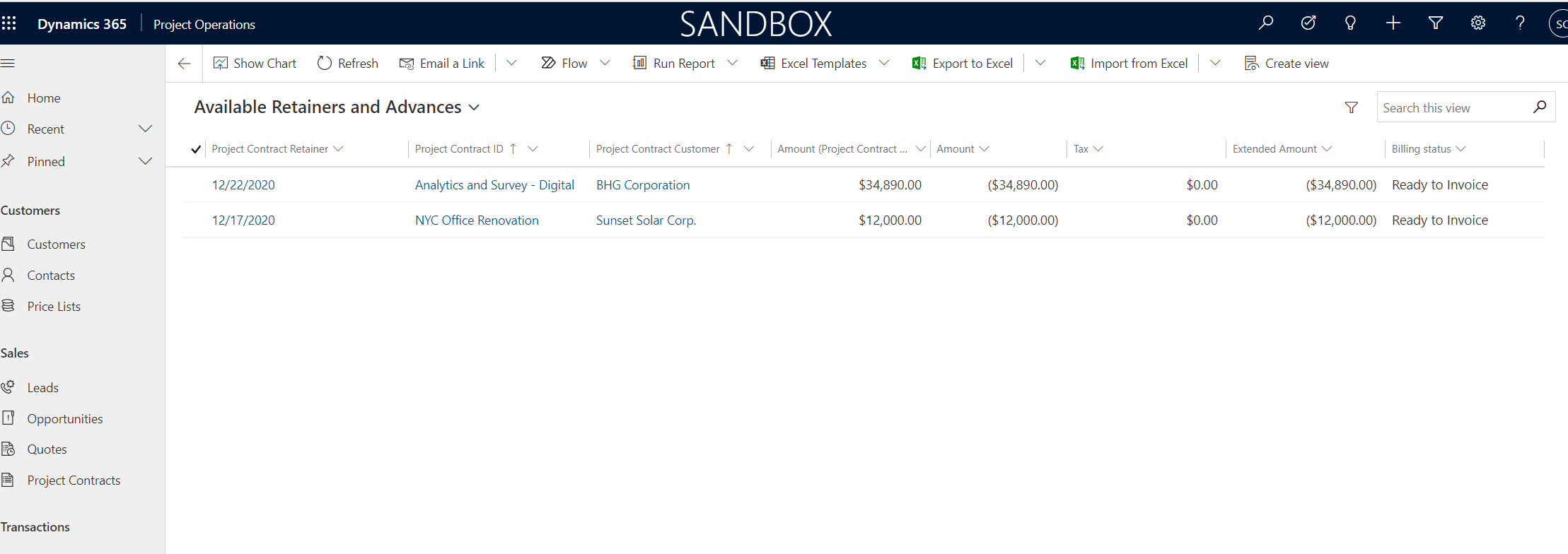
    Project Operations also provides functionality for advances and retainers billing to customers. This is a new feature that was released in version 4.5.0.134. This feature reminds me the good old customer advance functionality we have in the legacy project management and accounting module in D365 Finance.

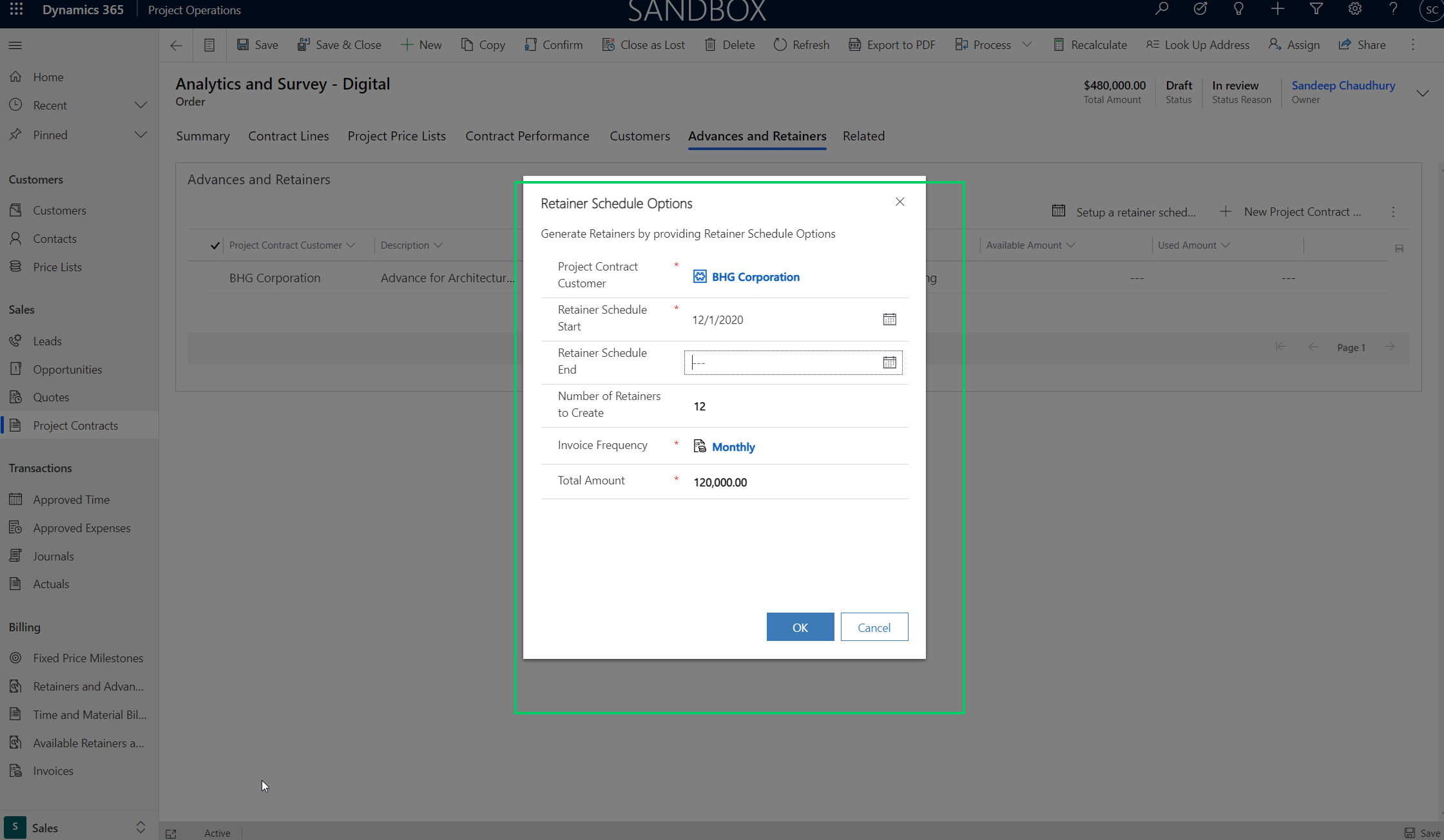
    Additional you can also setup an automatic retainer schedule to bill customers automatically based on a pre-defined schedule and invoice frequency. You can reconcile actuals against billed retainers and advances.

    Revenue recognition, sales tax and financials management:

    With the ” Fully integrated Resource/non-stocked scenario/deployment mode, you have full coverage of Revenue recognition, sales tax management and comprehensive industry leading project accounting and financials management. This part of the solution is built on the powerful Project management and accounting solution we all are familiar with in D365 F&O. The module is tailored and modified to work with the overall project operations solution. I am working on a separate blog post to explain the details of how the PMA module of D365 Finance is tailored to work with the Project operations solution. I will explain the key changes and how it works in that post.

    That was a happy path blog post on Dynamics 365 Project Operations. This was my second post on the official D365 Project Operations solution on my blog and the idea was to showcase what the solution can do for project based organizations. I am pretty excited about how the different industry leading applications from Microsoft for the project based organizations (Dynamics 365 PSA, Dynamics 365 Finance, Project for the Web) came together powered by Microsoft Dataverse(CDS), providing a seamless application for project based organizations of all sizes

    That’s it for this post! We will discuss specific topics on Project operations in future posts very soon.

  • Azure Data Lake(Gen2) integration with Dynamics 365 for Finance and Operations

    Azure Data Lake(Gen2) integration with Dynamics 365 for Finance and Operations

    Business Intelligence and Reporting has evolved in Dynamics 365 Finance and Operations since it’s launch. Entity store is the default relational database for dynamics 365 for finance and operations containing several aggregate measures and customers rely on it for near real time dashboarding on data from the Production database of D365 F&O. Entity store DB is included in the D365 F&O subscription and Microsoft ships quite a few embedded Power BI content packs that does direct query into the entity store to produce stunning dashboards and reports across various modules.

    It is also possible to make the entity store available in Azure Data Lake (Gen2). This gives flexibility for customers to have the aggregate measures of entity store directly in their Azure data lake and allows them to do reporting and dashboarding by mashing up data from external sources also.

    Another popular option used by many customers is BYOD. Customers can export out of the standard data entities and custom data entities and export them in a predefined schedule to their own Azure SQL DB and then use Power BI or other tools to create reports and dashboards and mash-up the data with external systems data as well if needed. While BYOD offers a good solution for reporting and dashboarding by mashing up data from systems other than just D365, F&O, it comes with it’s own limitations and often requires you to manage and maintain the recurring data exports. The Azure SQL storage is also comes at a cost, depending on what volume of data you want to export and store.

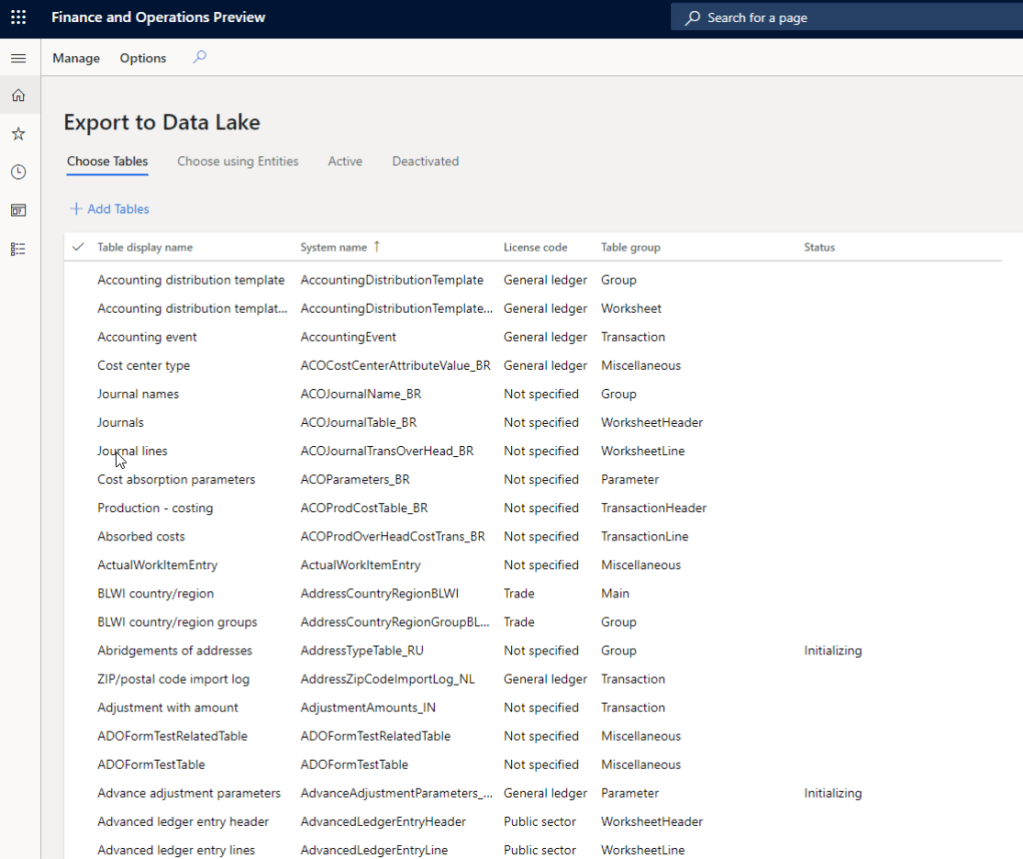
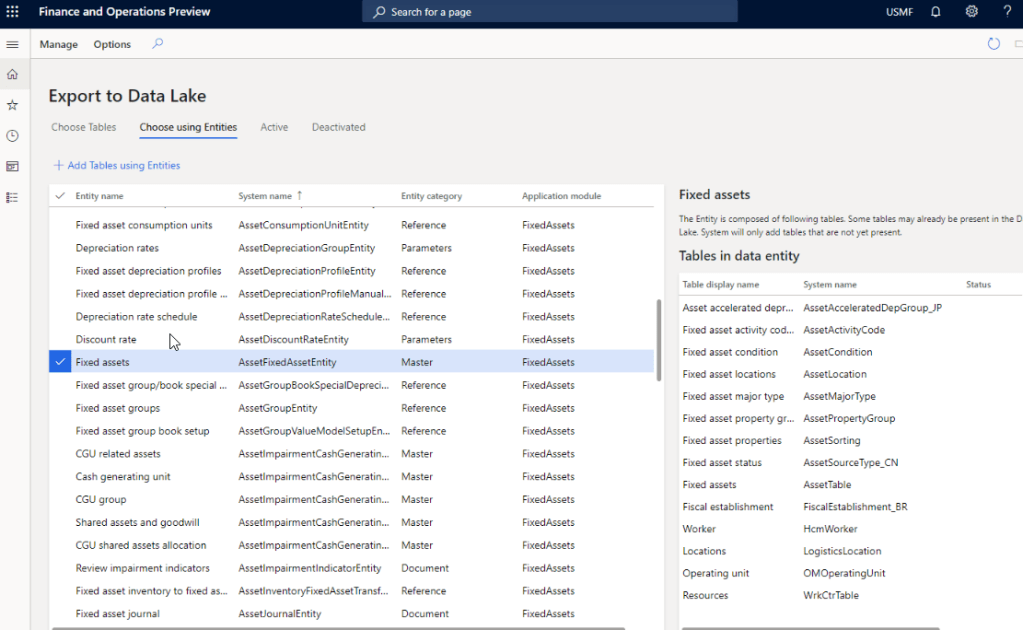
    With the version 10.0.12 launch, Microsoft is now making it possible to replicate you D365 F&O production data into Azure Data Lake (Gen2) storage. This new feature and framework allows you chose the data tables and entities you want to export and will keep the F&O data up to date in Azure Data Lake in almost real time.

    After you setup your Azure data lake storage account, application ID and authorization for D365 F&O to access the storage account you will first need to install the add-in within Lifecycle services(LCS). Then you can enable the new feature within the feature management area of D365 F&O and perform the remainder of the setup.

    Why you should plan the transition to Azure Data Lake: In my view, customers who are invested in BYOD or the analytical workspaces of D365 F&O entity store today should look at taking advantage of Azure Data Lake and should plan the transition for the following reasons.

    1. BYOD requires continuous monitoring and troubleshooting. ADL maintains the data automatically and is always up to date with no intervention needed.
    2. You don’t need to create data entities to expose data in any table that you want. You can literally expose all data tables and fields with ADL integration.
    3. Azure SQL data storage is comparatively expensive than ADL.
    4. ADL cloud storage is more efficient, better for analytics and provides additional capabilities such as AI, and additional programming to transform large volume of data.
    5. Data lakes in Azure are designed for big data and analytics and are capable of handeling big amount of data with less cost. It takes advantage of Azure blob storage behind the scenes.
    6. Data lakes not only allows you to do analytics on the data using Power BI, but also it allows you do additional things like apply machine learning, AI on the data to learn and take meaning and action out of your big data.

    That’s it for today’s post.

  • Useful new features under Project accounting module of Dynamics 365 Finance that you must checkout

    Useful new features under Project accounting module of Dynamics 365 Finance that you must checkout

    Hope everyone out there is keeping safe and healthy. We are living in unprecedented times and navigating this phase of the our lives certainly has been teaching us new thing every day!

    I finally took some time out from the schedule to review some of the new features under Project Accounting module in the most recent releases of Dynamics 365 Finance. These features range from version 10.0.9 through 10.0.12. Let’s get to the point and review the features.

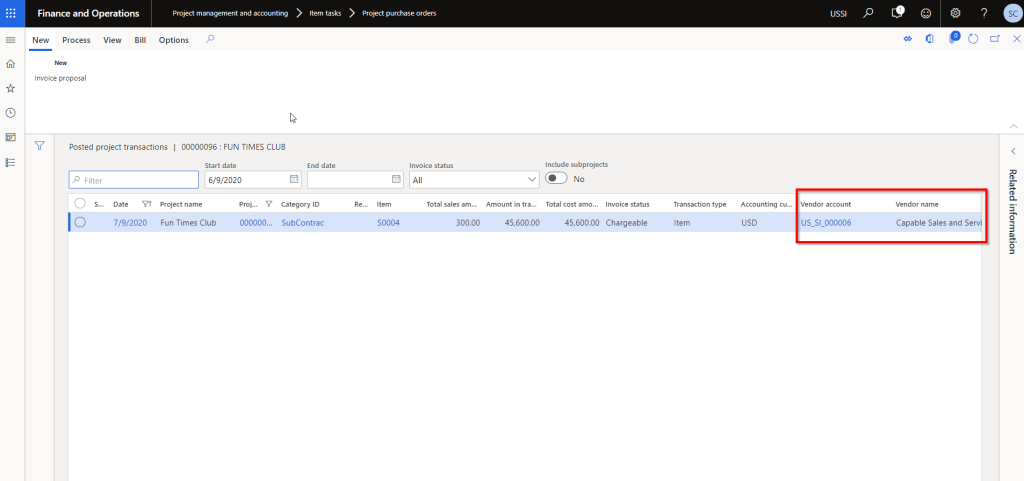
    Show Vendor ID and vendor name on the Posted projects list page:

    So this one is probably one of the most common asks I have heard from customers in all projects. Seeing the vendor name and account number certainly makes the life of the project accountants and billing analysts easier. We have been addressing this using a customization till now. These 2 additional data fields will make it easy for users to slice and dice project expenses by vendor and produce invoice supporting documents for customers when billing those expenses.

    When you enable this feature and post a vendor invoice to the project, you will see the Vendor ID and name on the posted transactions list page.

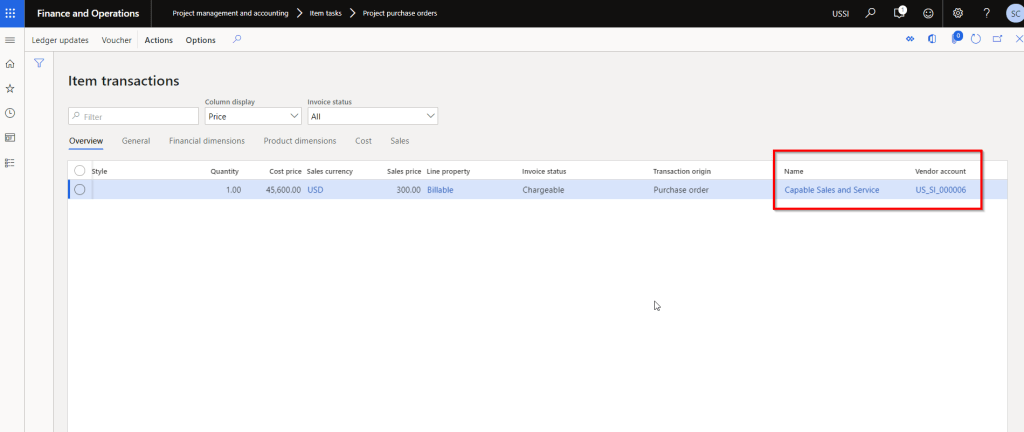
    You can also Personalize to the the Vendor ID and name fields to the Expense transactions inquiry page.

    Adjust accounting on a posted project transaction:

    This one is very interesting. Before this functionality, the only option to adjust accounting was to process a transaction adjustment. But that also required you to change data on the subledger transaction.

    With this new feature, accountign team will find it easier to adjust accoutning posting for posted transactions.

    It will basically reserve the original posting and recreate new ones.

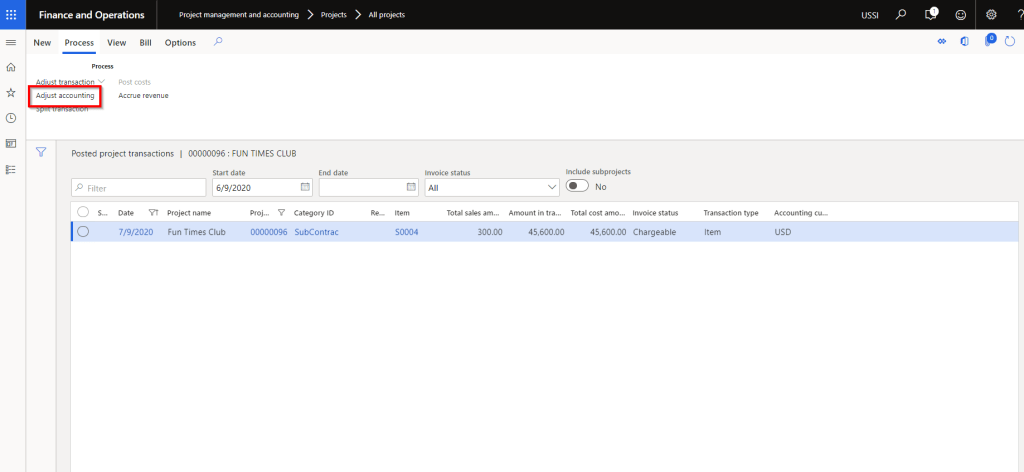
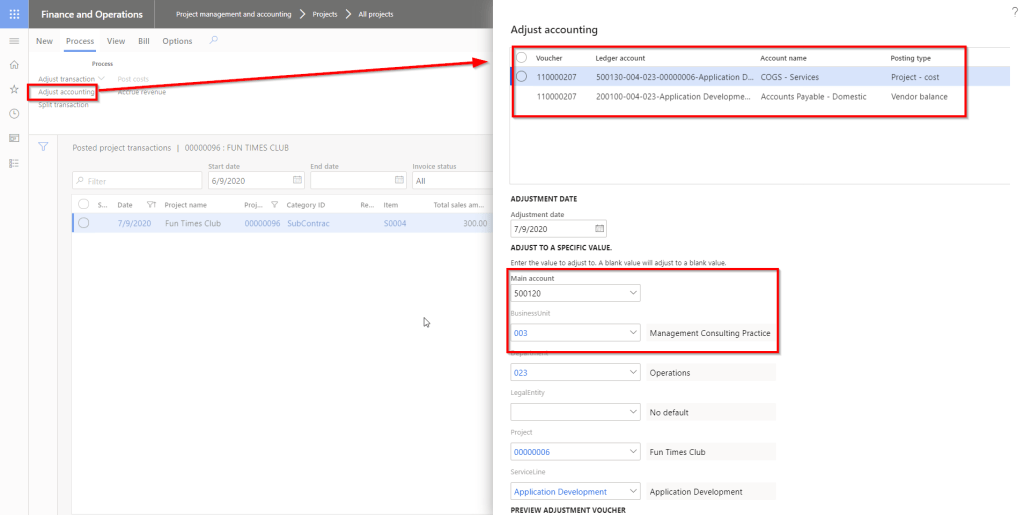
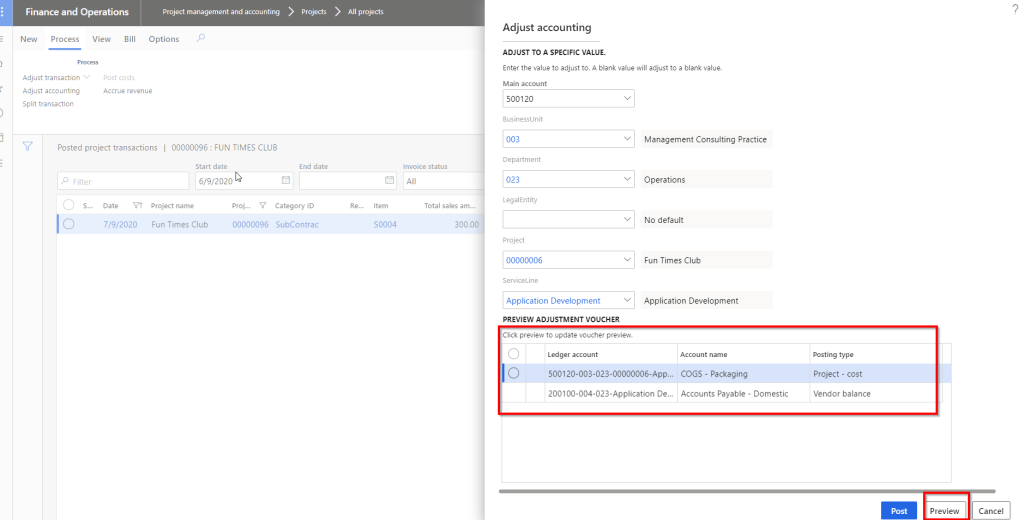
    For example, I have an expense transaction posted on one of my T&M projects. Let us say it posted to the wrong main account 500130 and wrong Business Unit dimension “004. I want it to post to 500120 and business unit 003.

    Select the Posted project transaction and click Adjust accounting under Process tab.

    System will open up a dialog that will allow you to see the current accounting entry and will also let you select the new account and dimensions.

    You can also preview the new voucher to make sure everything is correct.

    When you post this adjustment, it will reverse the original voucher and create the new one. Pretty cool and damn good flexibility!!

    Note: I believe there might be a known issue here with the voucher, but when it is fixed, this feature is going to be extremely useful.

    Enable default accounting setup for project:

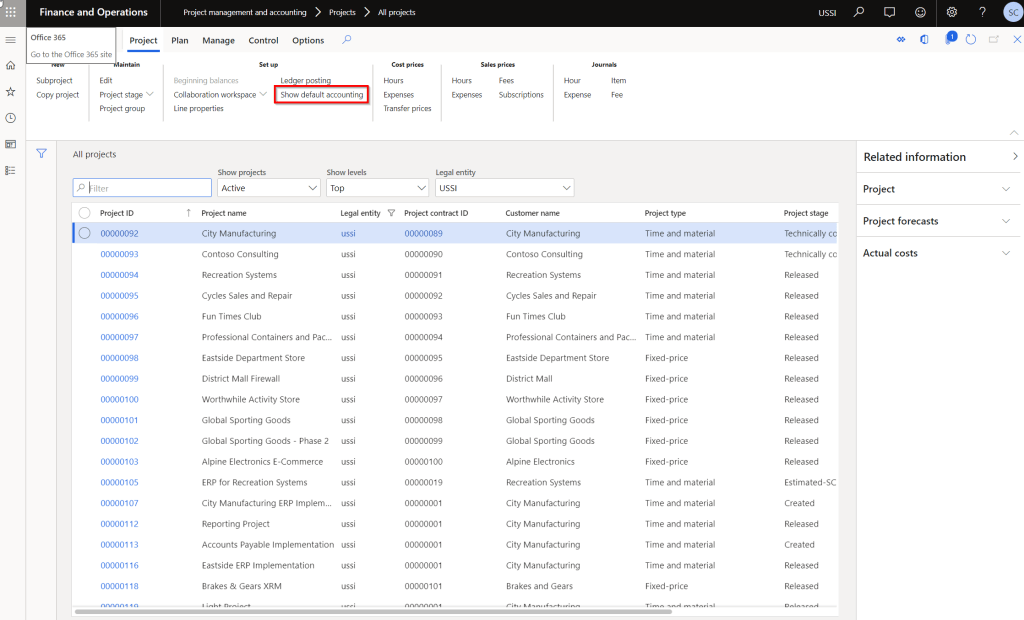
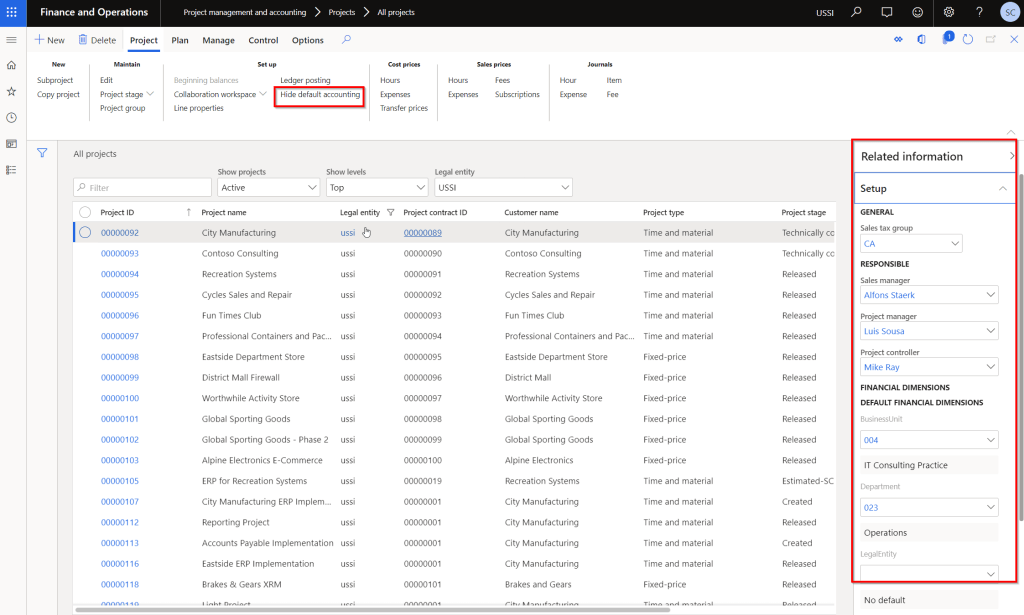
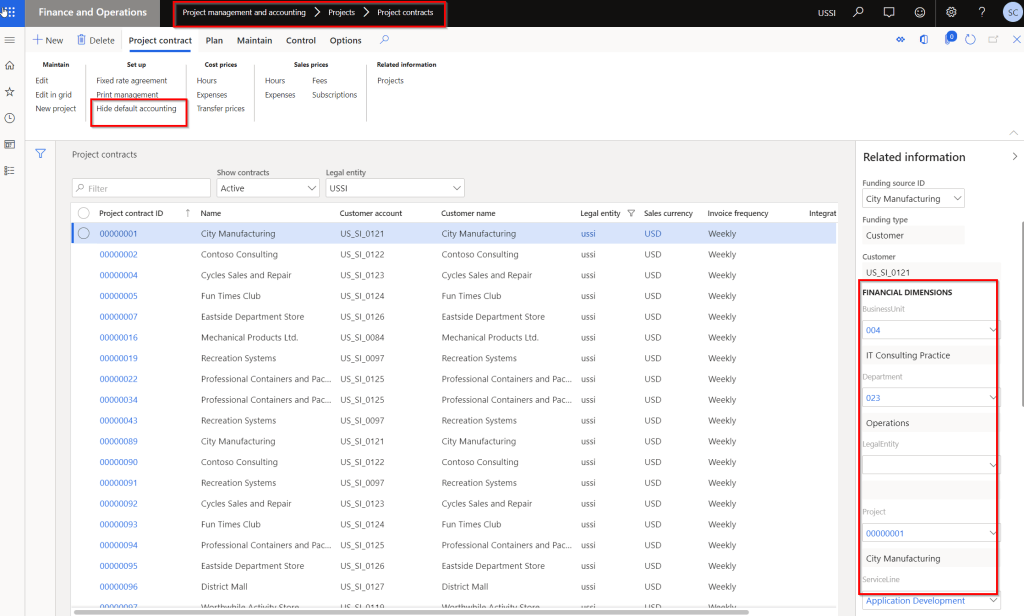
    This is again one of the most common asks from customers. We have actually customized the Projects and contract screen on many instances to view the financial dimensions and other associated data such as Project manager, Sales manager, Sales tax group and so on. With this new feature, you will see a new button named “Show default accounting” on the Projects and Project contracts list page.

    You can not only see the data, but you can edit then directly on the list pages under the fact boxes. Really neat!

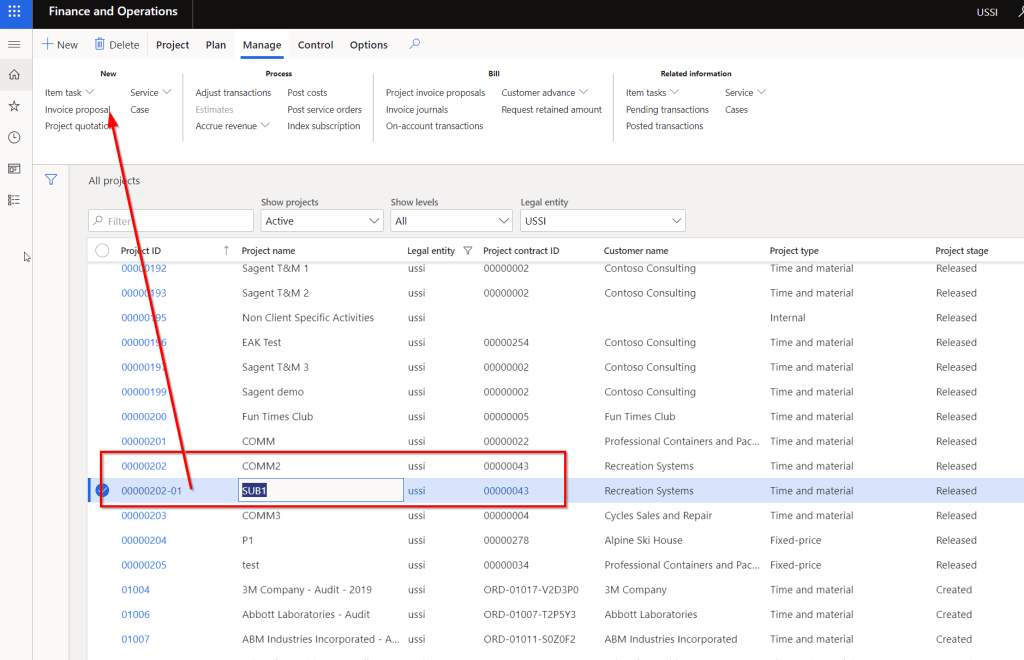
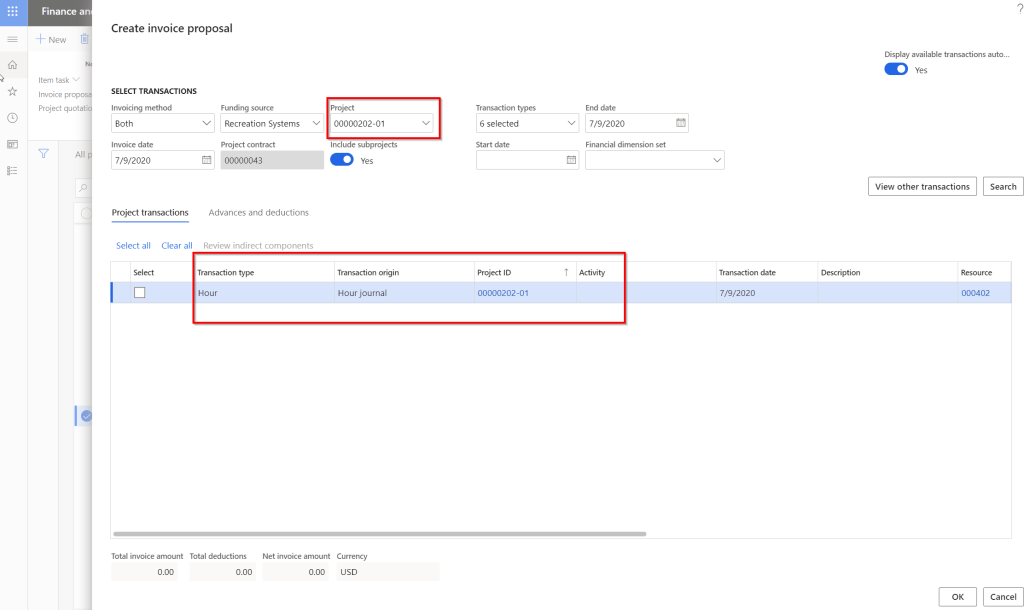
    Enable project invoice proposal creation specific to selected project:

    This one is small yet useful feature. Prior to this feature, when you have a Project setup heirarchy where there is a parent project and a bunch of sub projects underneath, then when you create the invoice for a sub project, system will always default to the parent project and try to create the invoice at the parent level.

    With this new feature enabled, you can create the invoices at each sub project levels directly.

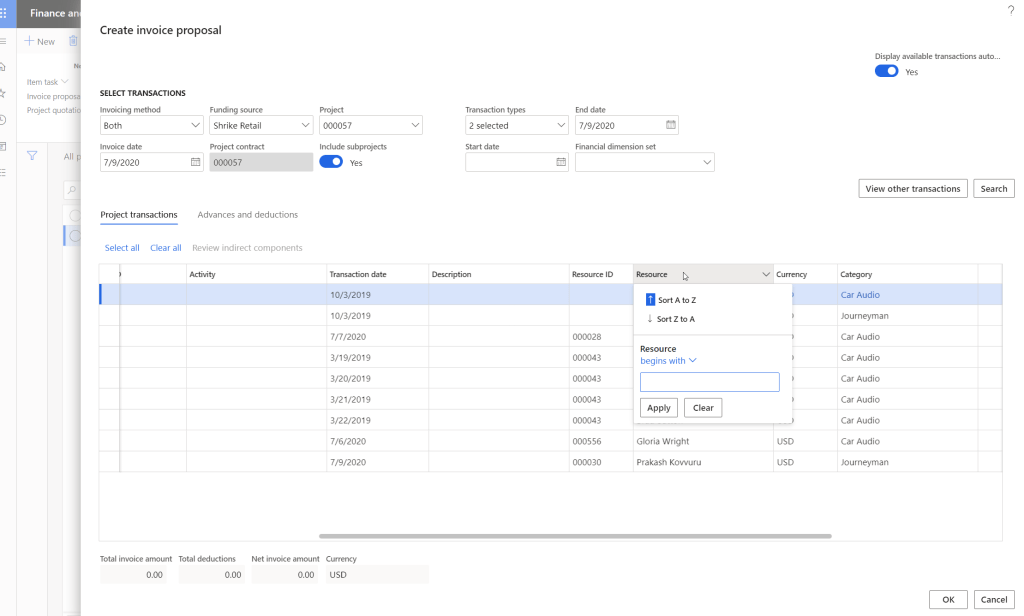
    Enable sorting by resource during project invoice proposal creation:

    When Billing analysts or finance managers create invoices for projects (Especially for Time and Material Projects), it is often desired to be able to sort the invoice line items by Resource, so that they can easily create the invoice. This is small usability enhancement, but has significant positive impact on the end users.

    Below screenshot shows the Resource column on the Create invoice proposal screen without this new feature.

    Below screenshot shows the Resource column on the Create invoice proposal screen with the new feature.

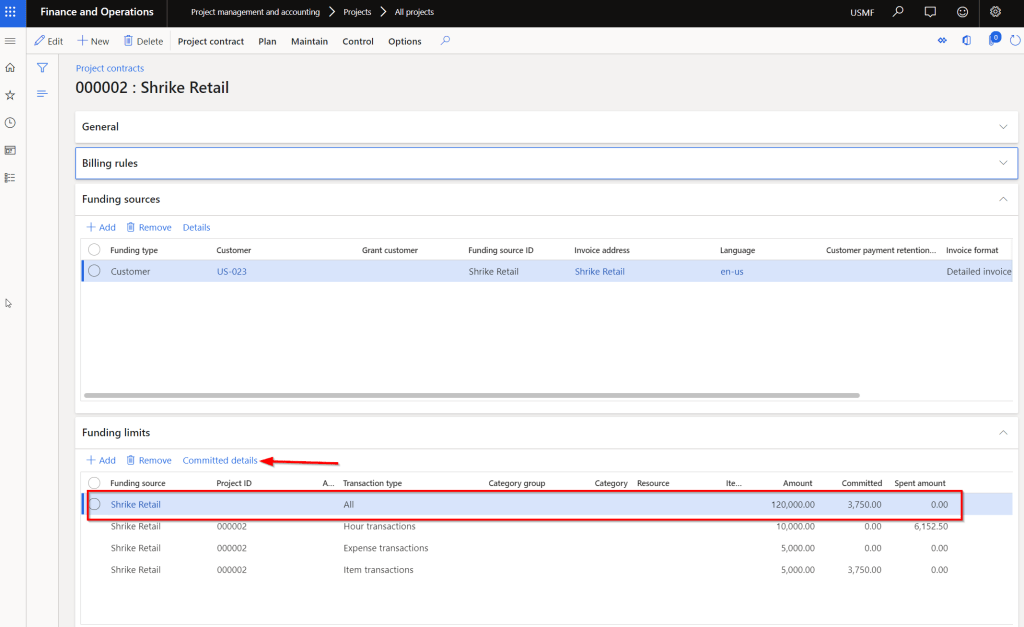
    Project contract committed amount detail:

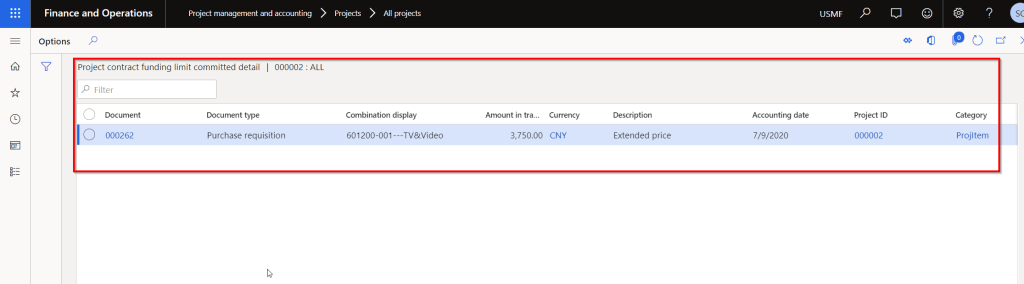
    This has been released for a few months now, but I see a lot of value in this little feature. Under the Funding limit area of a project contract, there is no details available for any amount that is shown under the Committed or Spent amount columns. Being able to see the details under these will surely save significant amount of time for end users. I wish Microsoft will add the same functionality to see “Spent details” under the funding limits soon. (Candidate for an Idea in Ideas portal!!!)

    There are a few more new country/region specific features available. You might want to check those out if applicable to you.

    Till then….

  • Get your users from just using Dynamics 365 to Loving Dynamics 365 for Finance and Supply Chain Management

    Get your users from just using Dynamics 365 to Loving Dynamics 365 for Finance and Supply Chain Management

    As end users of any product, software application or any other app, we all love to spend less time in the system and get more done with less effort. Also we all love if the system gives us the flexibility to personalize the way we want it. Using an ERP systems should not be is no different. Dynamics 365 for Finance and Supply Chain Management has been on a journey to release new features every month. The goal is very simple. Drive the user base from just using Dynamics 365 to Loving Dynamics 365.

    With the newest version 10.0.9 that is coming out in a couple of weeks, there are some new cool productivity features that every user of Dynamics 365 should take advantage of. Here are some of my favorite ones.

    Saved Views:

    We all love the Personalization feature of D365 F&O, which allowed us to add/remove fields, rearrange data fields and more. One of the primary limitation of the personalization feature was “Only one set of personalization was allowed on a view/form and you could never have more than one personalized views of the same page/form. Saved Views feature addresses that in the 10.0.9 release.

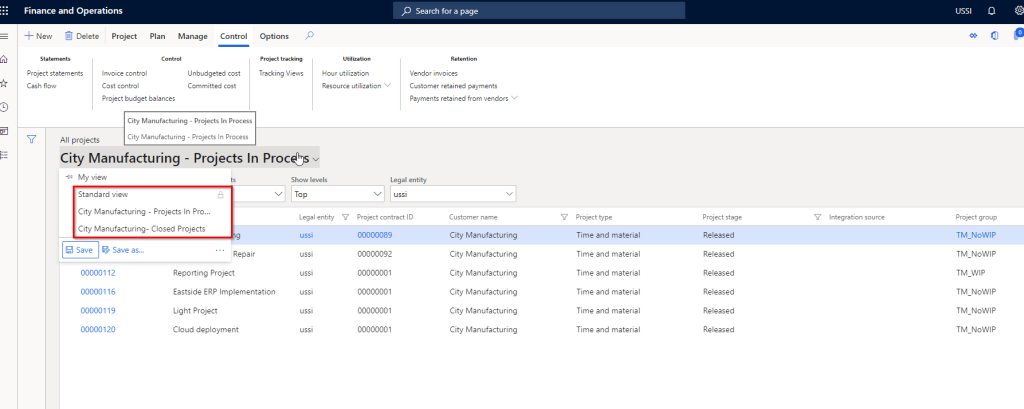
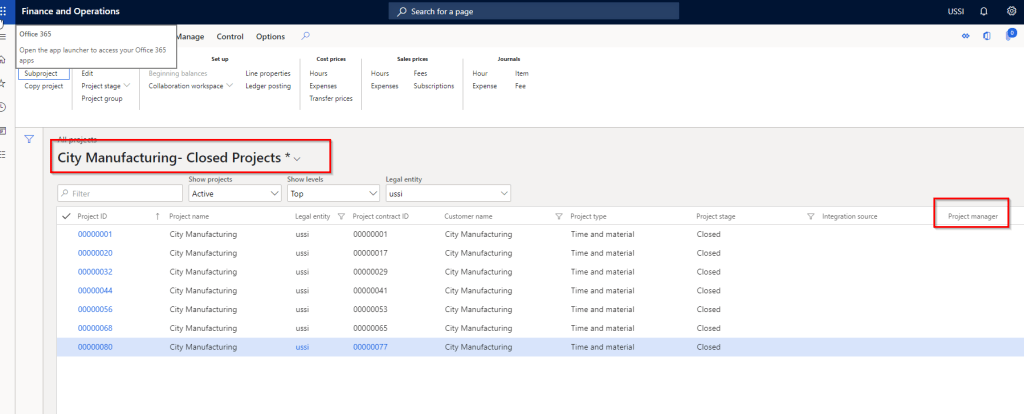
    With Saved views, you can create your own personalized view with data fields added/removed or even with data filtered and save the view. You can switch to the custom view or the standard views any time based on what you want to see. An example of this is “Let’s say on the All Projects page, I want to see all closed projects of a customer (City manufacturing). I also want to see the “Project manage” column when I am in this view. I want another view to see all projects that are in Process for them and I want to see the Project group column in this view instead of the project manager. With the earlier personalization feature, you always had to filter the data and it was not possible to chose different columns to see depending on the view you are seeing. With Saved views, this is a breeze and will help user productivity significantly.

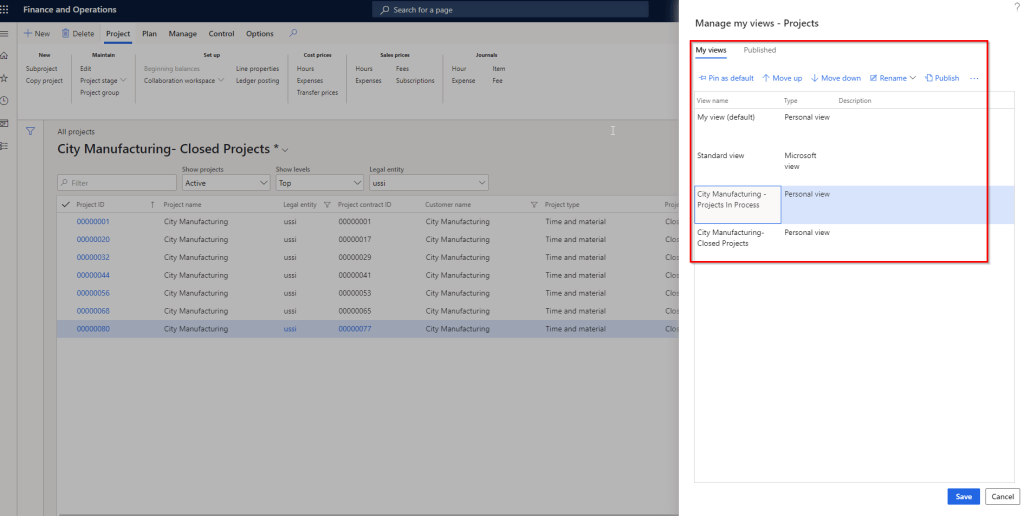
    Additionally you can pin a saved view as your default view and you can also publish your saved views and let others take advantage of it. You can rename your views at any time.

    Groupings and show totals of data in grids:

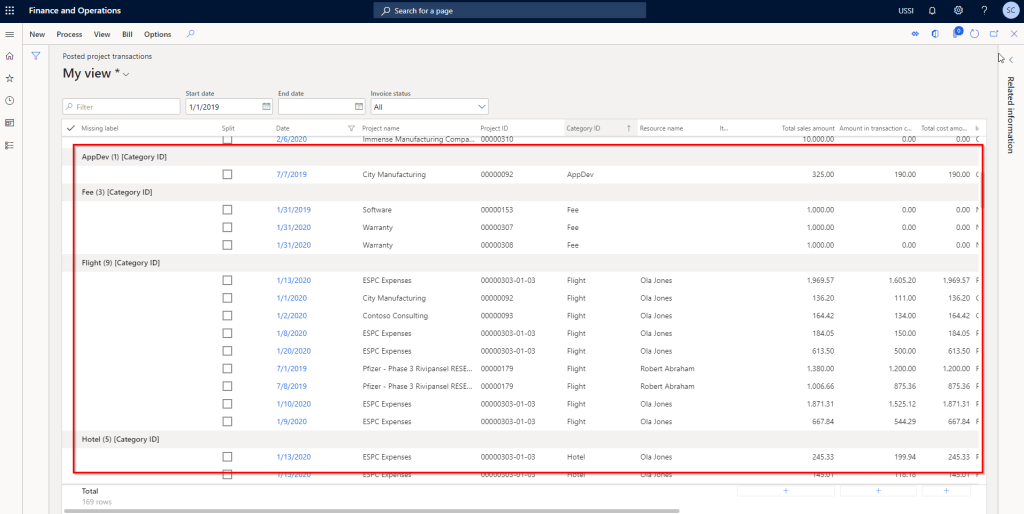
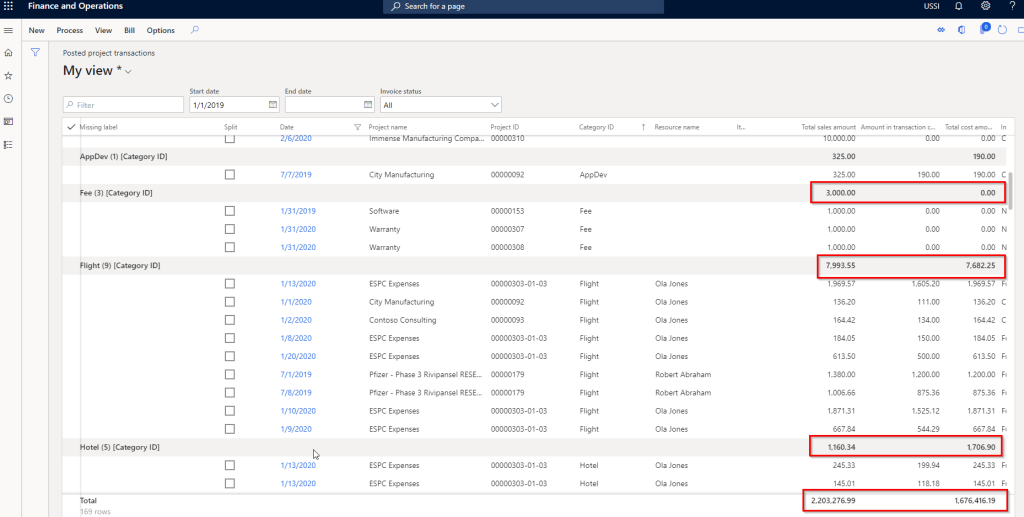
    Imagine how nice it will be if you can group, sort and see data sliced and diced without having to export them to Microsoft Excel!! With the new grouping feature, you can now group data by literally any data column and even see totals of amounts for the grouped data. You don’t have to export the data to excel. This feature is not replacing Export to excel by any means :) You can obviously do much more with slicing and dicing when you export data to excel, but if you were looking for basic grouping and view totals, then you an now do it right within the client.

    For example I am a project controller and I am reviewing all the posted transactions on the Posted project transaction page and i want to see the amounts grouped by Category or grouped by date. I can just right click on a column and select group by. I can also chose to see then totals of the amounts at the bottom.

    Run/View 3rd party Websites under a fast tab within D365 F&O:

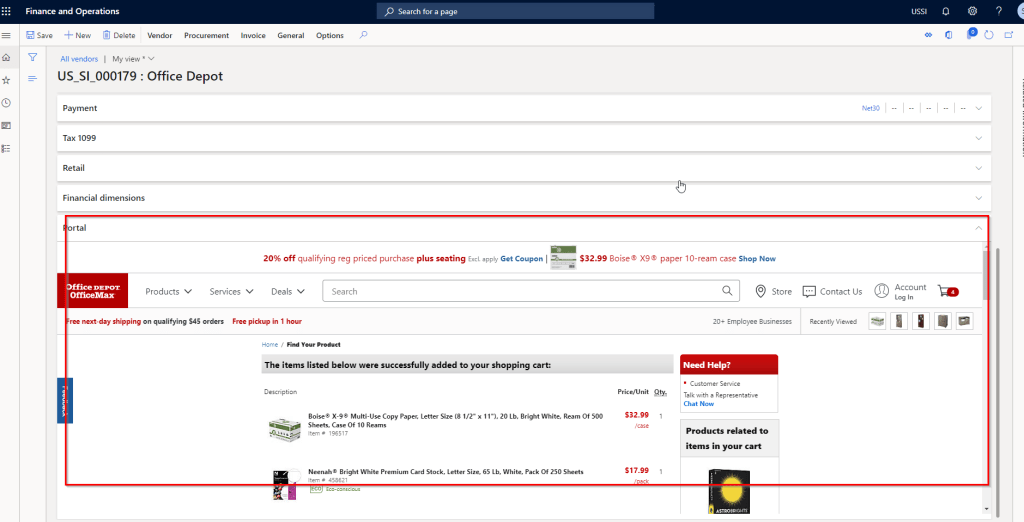
    In the earlier versions, there was the capability to add PowerApp to run in a n embedded view within D365 F&O. You can now add any website to run embedded within a fast tab of any page in D365 F&O. This is a very helpful additional. Think of a scenario where you have a home grown website/web app and you want to run it within F&O, so that you don’t have to leave the F&O page to run the app.

    A sample use case of this will be adding vendor’s websites to the vendor records within F&O. When you are on a vendor record in D365 F&O, you can go to the site within the fast tab of the vendor record.

    You also have any inhouse websites/webapps running within the fast tab.

    Quick Personalization and faster data load on grids:

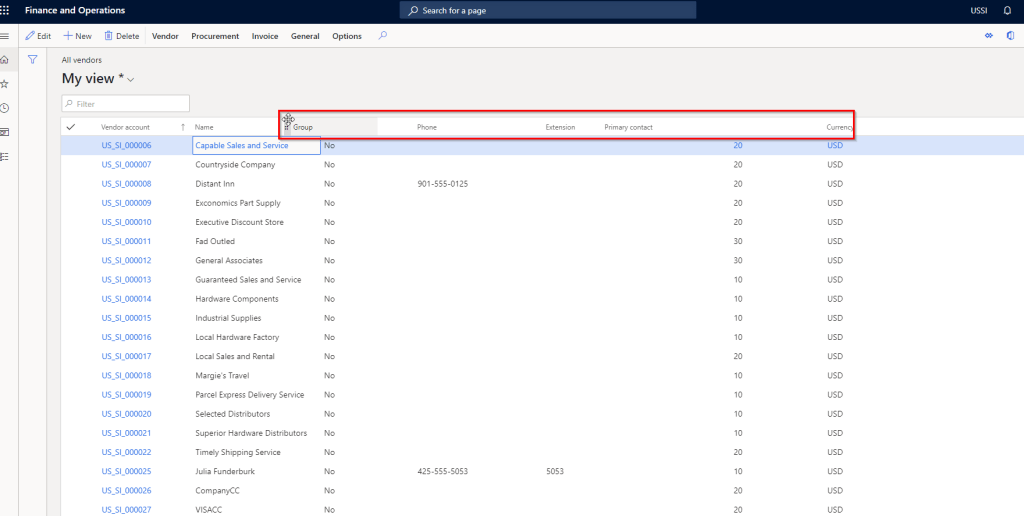
    Rearranging data fields within a page does not require to go to Personalization mode now. You can just drag and drop fields on any page and arrange them in the order you want. This can be a part of your saved views as well.

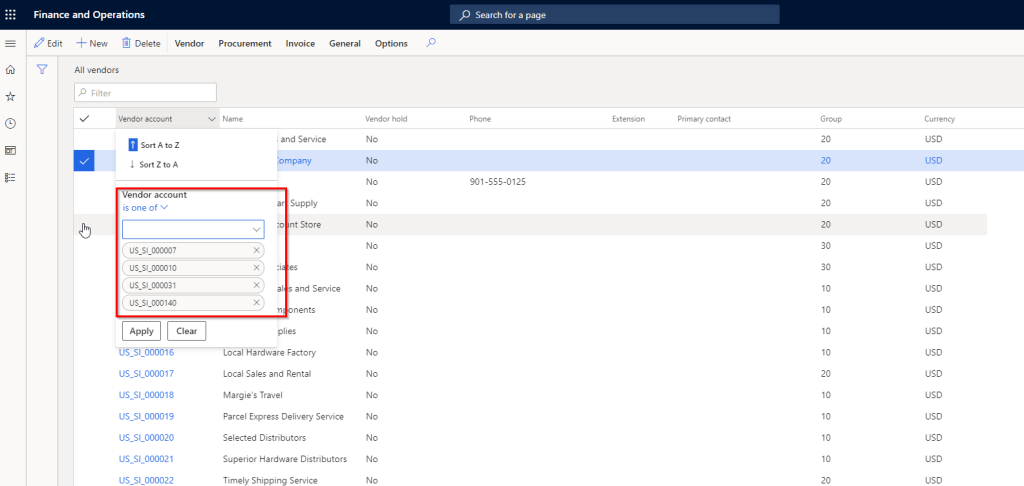
    The data filtering on the new grid control now got even better. Earlier if you were to filter certain records on a page using the “Is one of” option, it was very difficult and time consuming to type every single value, one at a time. With the new improved control, the “Is one of” control works like a charm. You actually get to see the values in the drop down and you can select them with just a click. That’s it!!

    The new improved grid also provides key enhancements such as,

    • Improved data rendering speed and faster scrolling experiencing.
    • You can do positional scrolling. So if you are looking at a page that has thousands of records, then you can scroll to specific position on the scrollbar to go to the specific records.
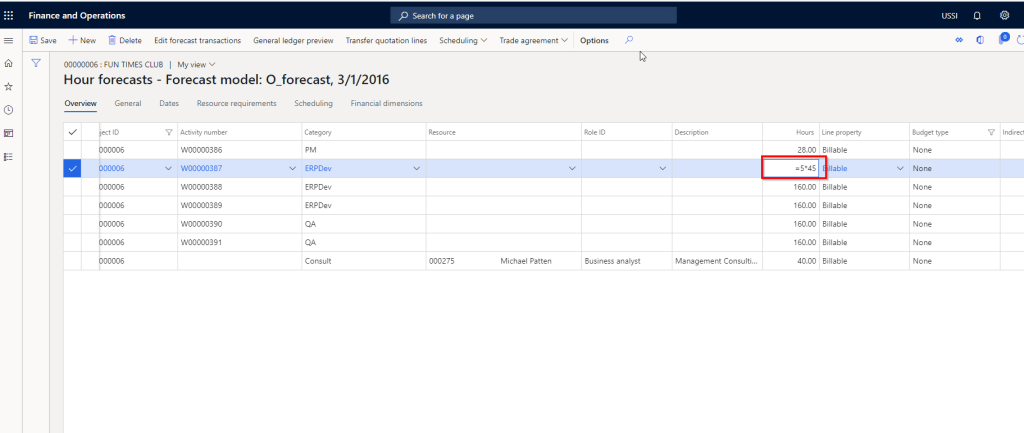
    • Enter mathematical expressions on numerical columns for the system to recognize values. For example I am on the Project Hours forecast screen and on the Hours field, I can type = 5*45, instead of 225.
    • Faster data entry, as server side data validation allows user to enter data first and then the system validates data.

    Thats it for this post.!!

  • Some new improved features in Project accounting module in Dynamics 365 for Finance and Operations

    Some new improved features in Project accounting module in Dynamics 365 for Finance and Operations

    Here are few tips on some of the small improvements in functionalities under the Project accounting module in D365 F&O.

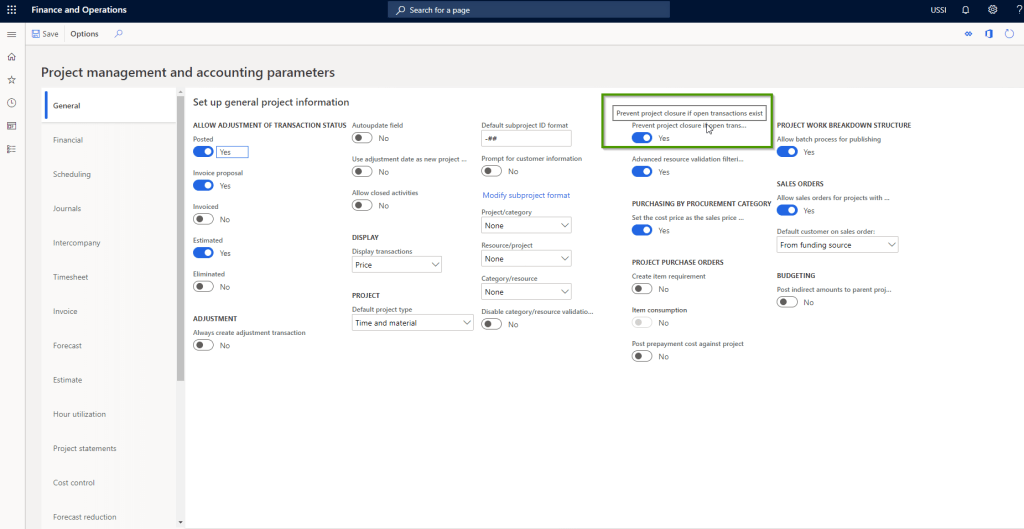
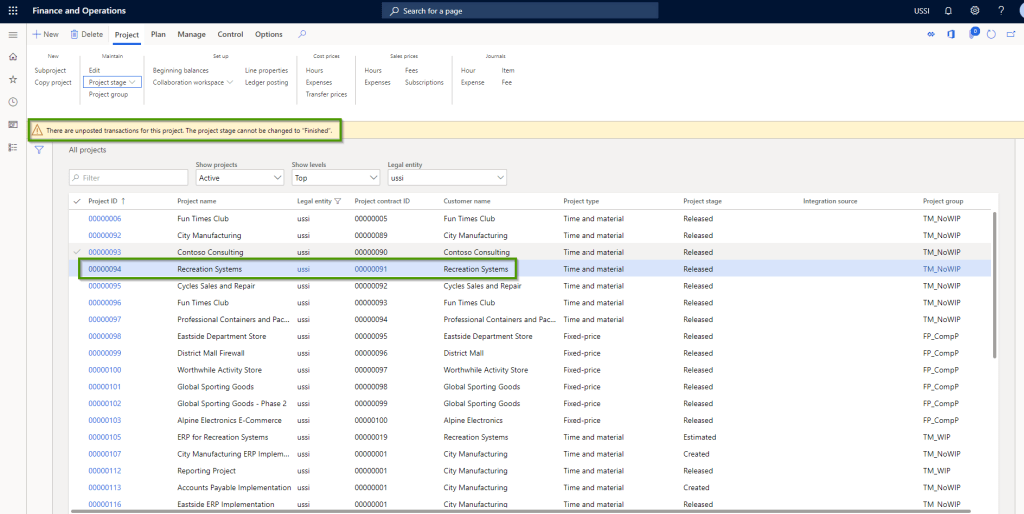
    Prevent project closure if open transactions exists: This is one of the most common requirements to make sure the Project is not closed out if there are pending transactions such as time, expense or invoices that are created but not yet posted to the project.

    With this parameter marked, if a user tries to change the stage of a project to Closed/Finished, system will automatically detect if there any pending transactions and if there are, then it will not the user set the stage to Closed/Finished.

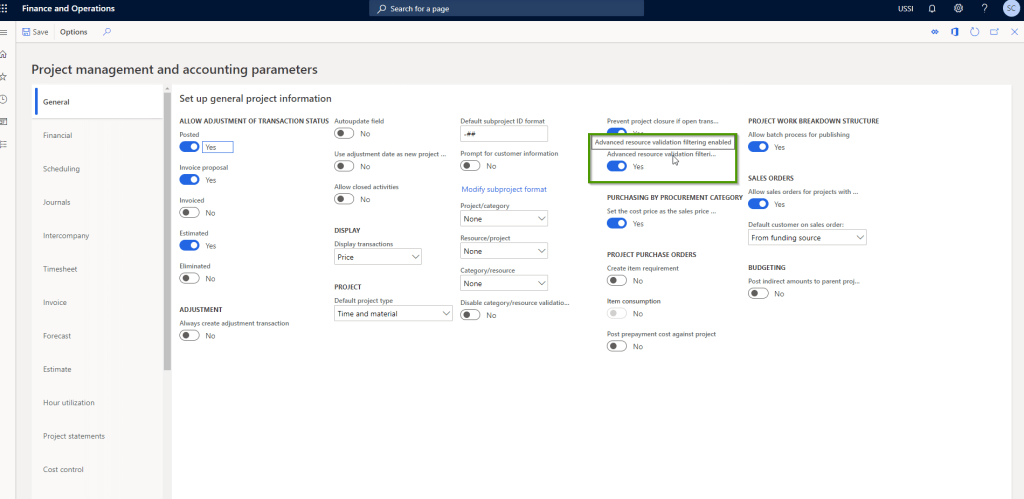
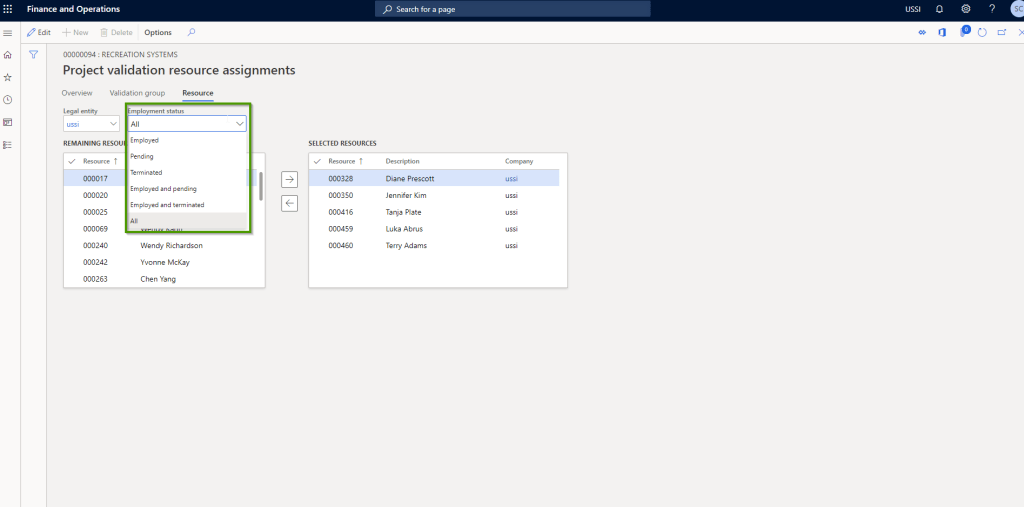
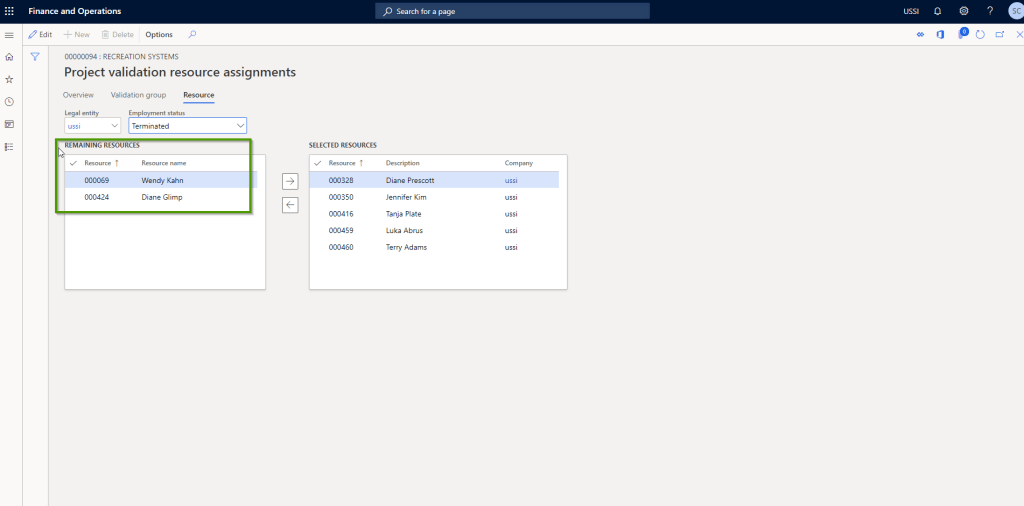
    Advanced resource validation filtering enabled: This is a small enhancement that now allows you to filter employees based on their employment status. When enabled, you will see a new option to select the Employment status. This will make it easy to manage resource validations on projects when employees are terminated or when new employees come in with start date in the near future.

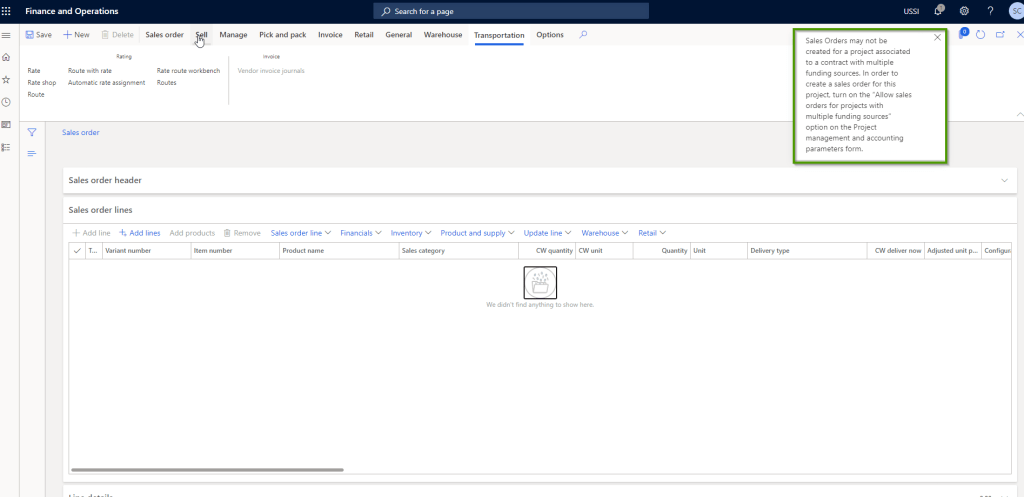
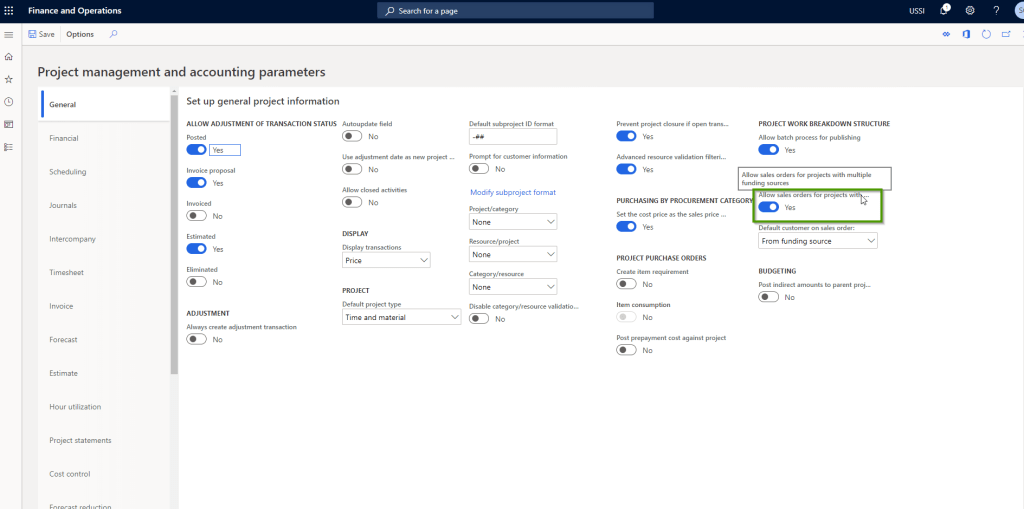
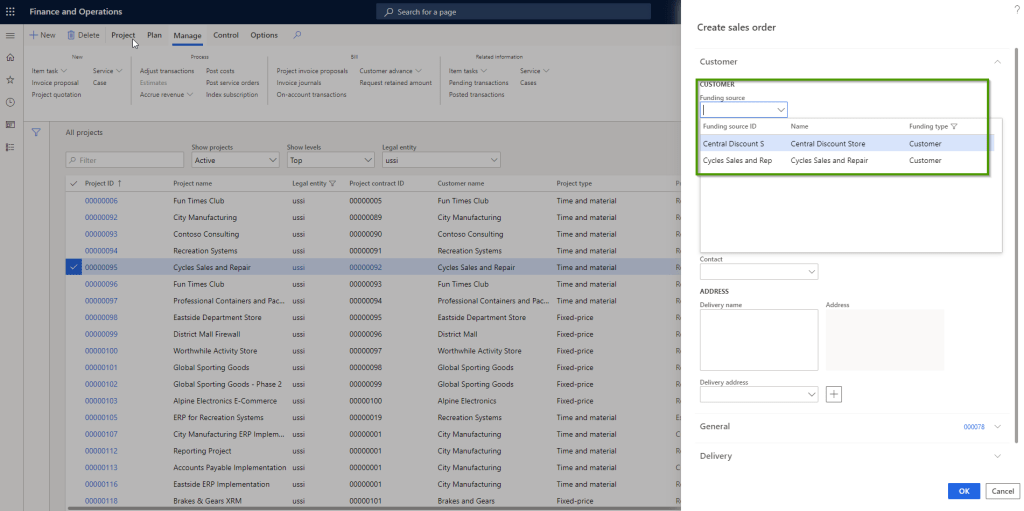
    Allow sales orders for projects with multiple funding sources: When you have more than one funding source setup under a project contract, the system never allowed to create a sales order for the projects under that project contract. This has been one of the most important limitations of the system for a long time.

    It is a very common requirement to have contracts funded by more than one funding sources/parties and if these contracts requires you to create sales orders, then it was not possible earlier. System would prompt with an error message as shown below.

    With this new parameter marked, system will now allow you to create sales orders for projects which are setup with multiple funding sources. When you Mark this parameter, you will be able to chose whether you want the customer to be defaulted from the funding source or from the project.

    The funding source which you select when creating the Sales order will be used when you invoice the sales order on the T&M project.

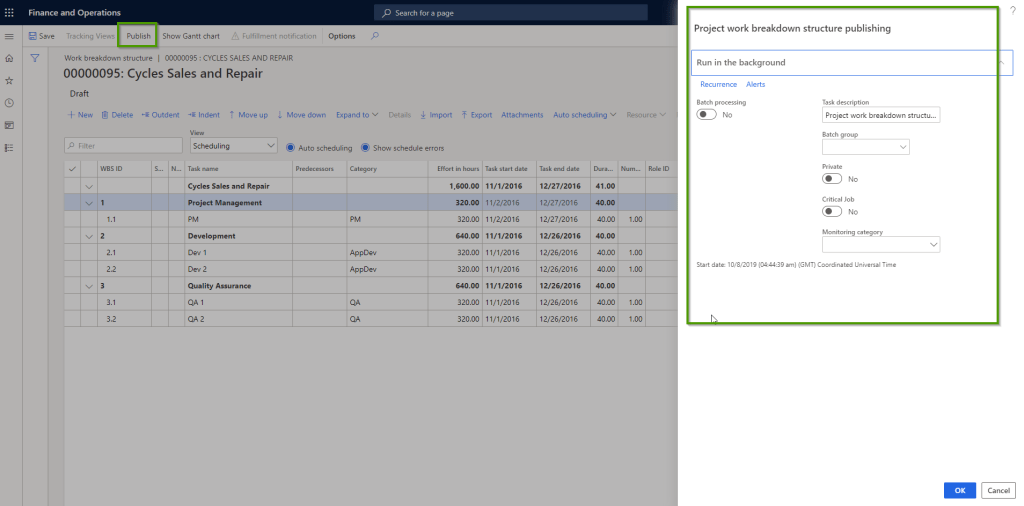
    Allow batch process for publishing of Project WBS: When you have a Proejct work breakdown structure that is large and complex, having the option to publish the project WBS in batch (In the background) can come in very handy. This is a welcome change and improvement.

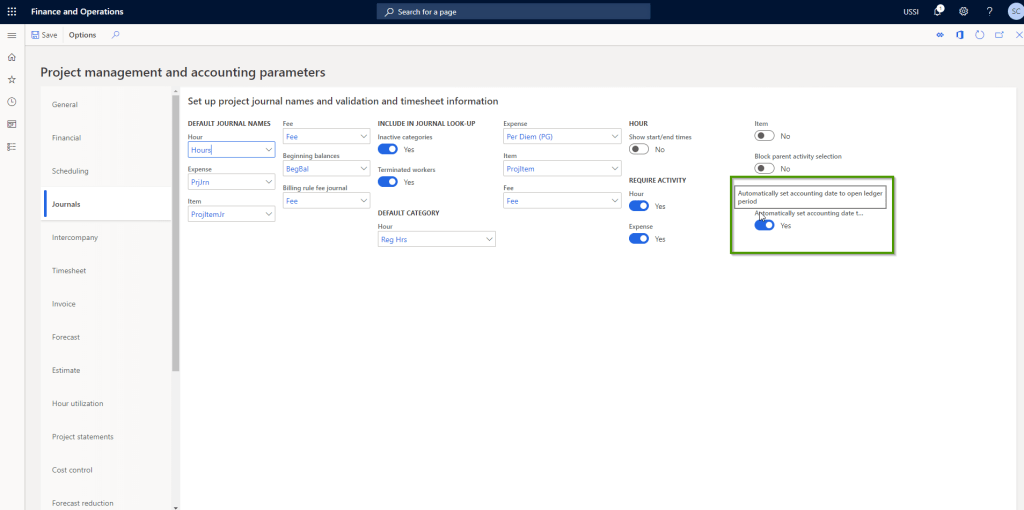
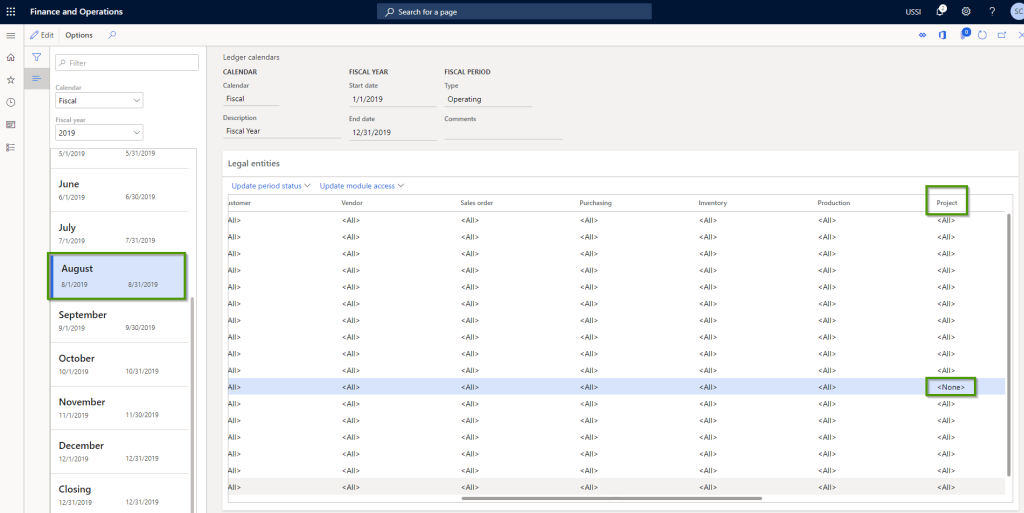
    Automatically set accounting date to open ledger period for project journals: When a general ledger financial period is closed for transactions entry/posting, it is usually a requirement to allow the posting of the transactions automatically to the next open general ledger period. In earlier releases you could setup required parameters under Projects and Expenses module to post expense reports and project time sheets to post automatically to the next open GL period, if the fiscal period for the current transaction date is closed for entry.

    With this new parameter, you can do the same thing for project journals. So for example you are trying to post a project journals into a GL period that is closed for entry/posting, then system can automatically post to the next open period.

    For example, I have closed August 2019 for the Project module.

    .

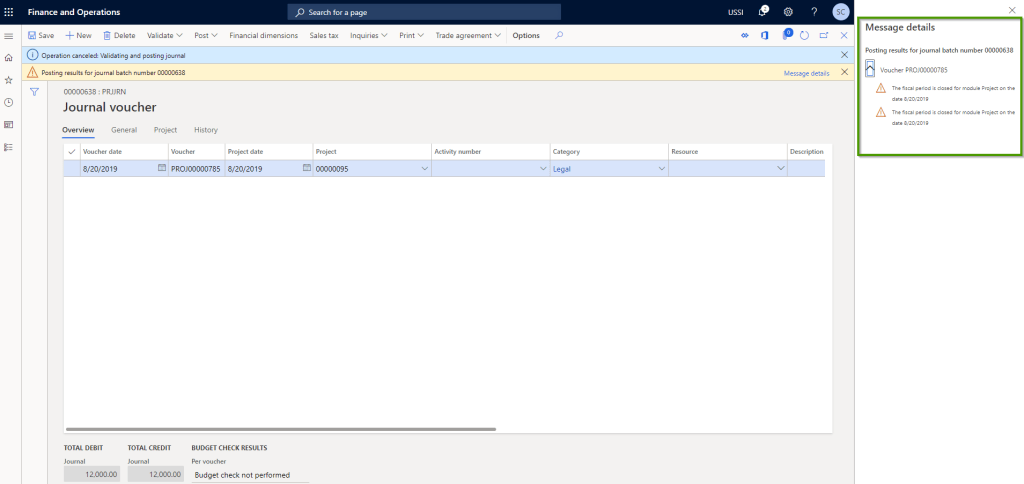
    If the parameter is not marked, then you will get an error message as shown in screen below and the journal won’t post.

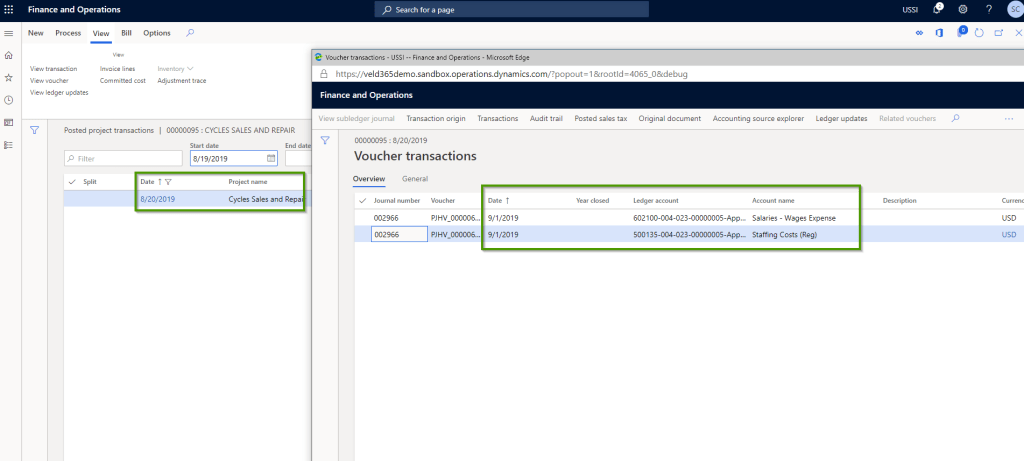
    With the new parameter marked, I now try to post a project hours journal for the month of August. When this is posted, you can see the GL voucher is posted to September 1st (Next open GL period) automatically .

    That’s it for this quick post!!

    Regards, Sandeep

  • Common Data Service for Apps, Dynamics 365 for Talent and Dynamics 365 for Finance & Operations, The integration story with the new Power platform from Microsoft

    Check out my new blog post on the Power platform and the integration of D365 For Talent and Finance & Operations using Common Data Service.

    Sandeep Chaudhury's avatar Dynamics 365, Power Platform & Dataverse

    In one of my earlier posts, I discussed briefly about the testing I did for the first version of Common Data Service to integrate Dynamics 365 for Sales and Finance & Operations. That was primarily for syncing customer accounts and all associated information. Microsoft also ships several data integration templates out of the box for this, which covers pretty much all key entities in the Prospect to Cash scenario.

    Today, we will take another deeper look at the Dynamics 365 integration story using the overall Power platform which contains the power of Common Data Service(CDS 2.0), Microsoft Power Apps, Flow and Power BI. We will learn about the new version of Common Data Service, which is referred to as CDS for Apps (CDS 2.0) and we will test an integration between Dynamics 365 For Talent and Dynamics 365 for Finance and Operations.

    Create the Power platform environment (CDS For Apps…

    View original post 1,063 more words